Data-Driven Lab: CopyTrading, AI Assistant, Custom Alerts
Context
After a stretch as Product Owner, I came back to hands-on design and joined the team with the shortest path from app open to a user's first placed trade – a core team with a core metric. Three directions were already on the table: a brand-new CopyTrading product to design from zero, a flagship AI feature people couldn't find and didn't trust, and a user-requested alerts feature that had never been validated. Three different problem types, one team.
CopyTrading – design from zero
Signal
The signal came out of a week-long service-design intensive I ran with the full team. We talked to experienced and partner traders as well as beginners, and a two-sided demand became obvious: beginners wanted to copy experienced traders' strategies and were willing to pay for it; experienced traders wanted to monetise their track record. The market existed, the demand was real – I made the call to build.
Process
A full competitive teardown of the major copy-trading platforms. Many iterative working sessions on roles, sections, user stories, Customer Journey Maps, user flows, and state diagrams. A second service-design session surfaced four useful findings.
Findings
Filters
Users don't need complex strategy filters.
User pattern
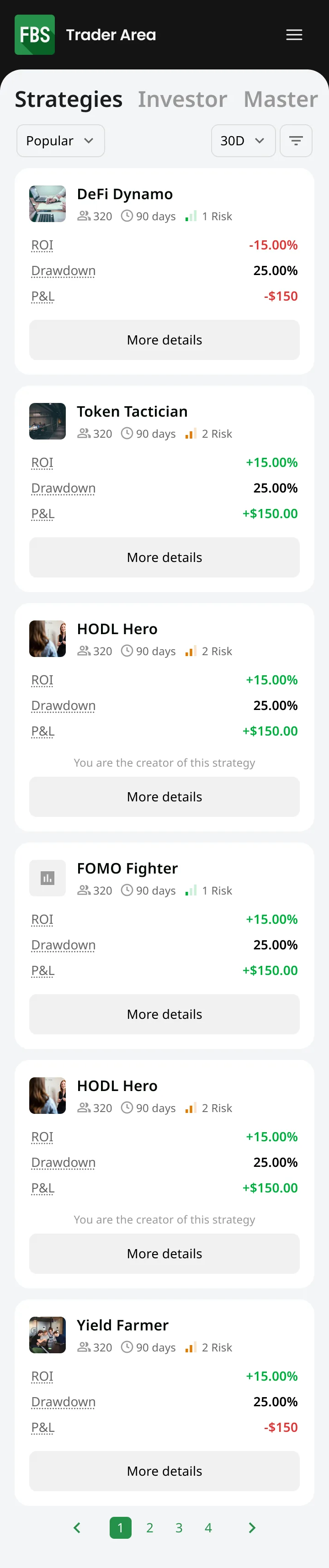
The journey is predictable – a beginner comes in, then either moves to independent trading or becomes a strategy master themselves.
Terminology
Standard copy-trading terminology is opaque even to experienced traders.
Control
Users want granular copy settings – to lose less – and the ability to close trades manually.
Decisions
Progressive complexity
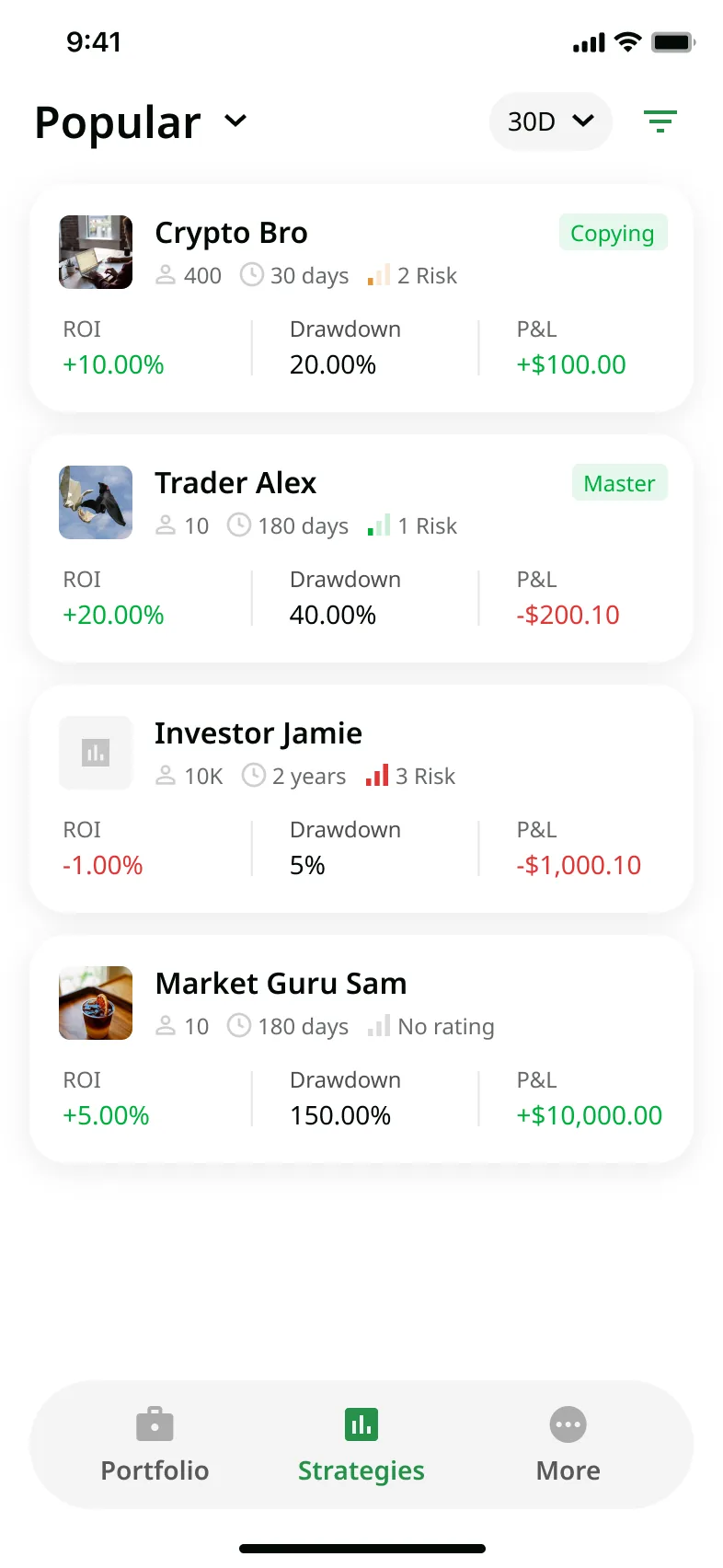
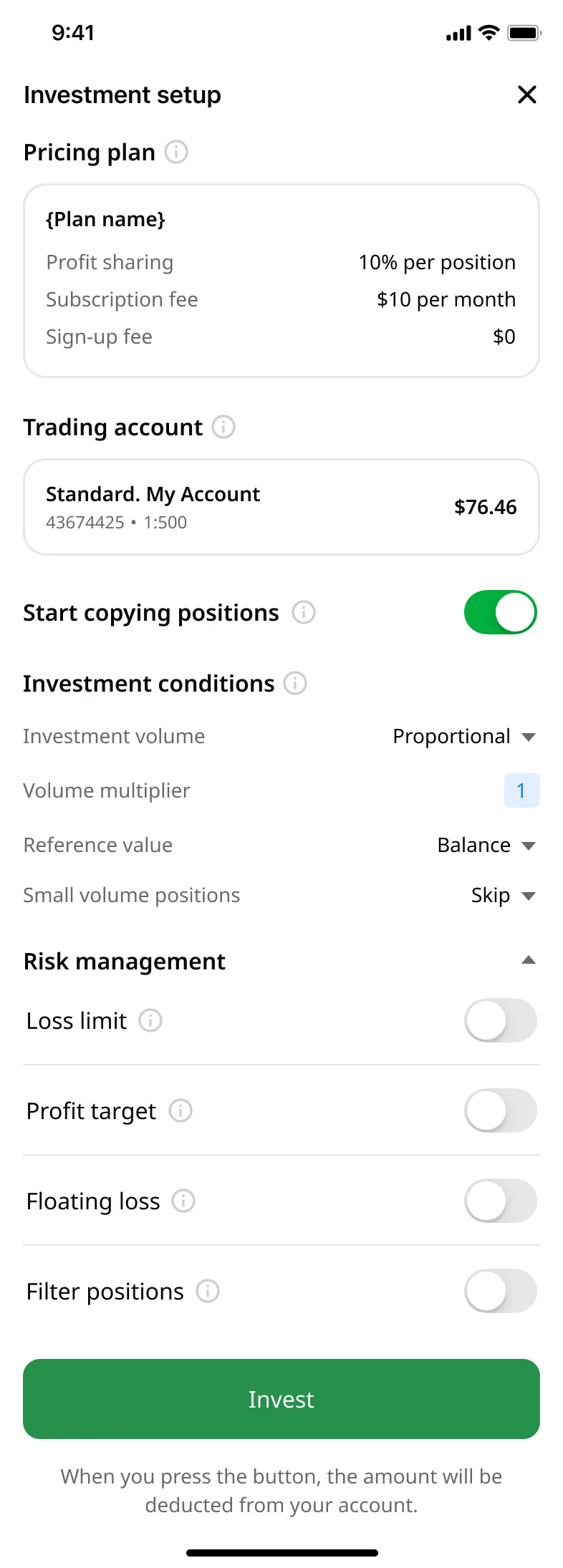
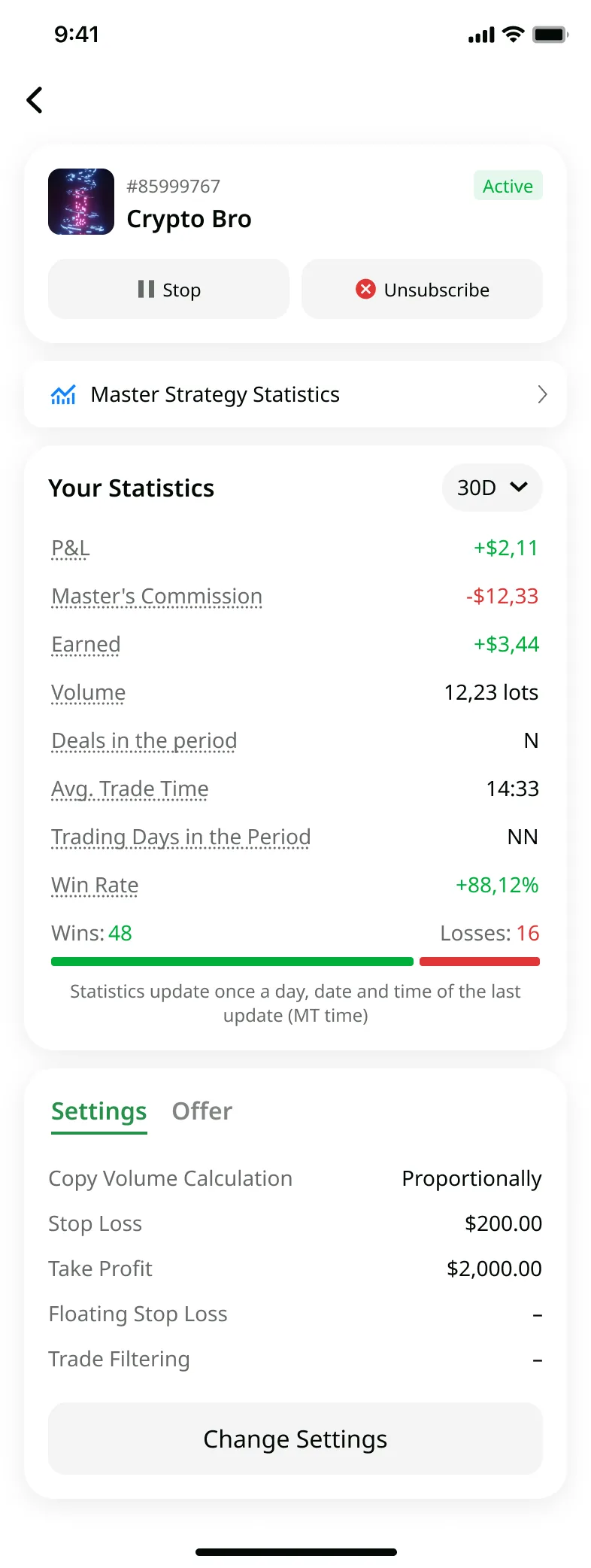
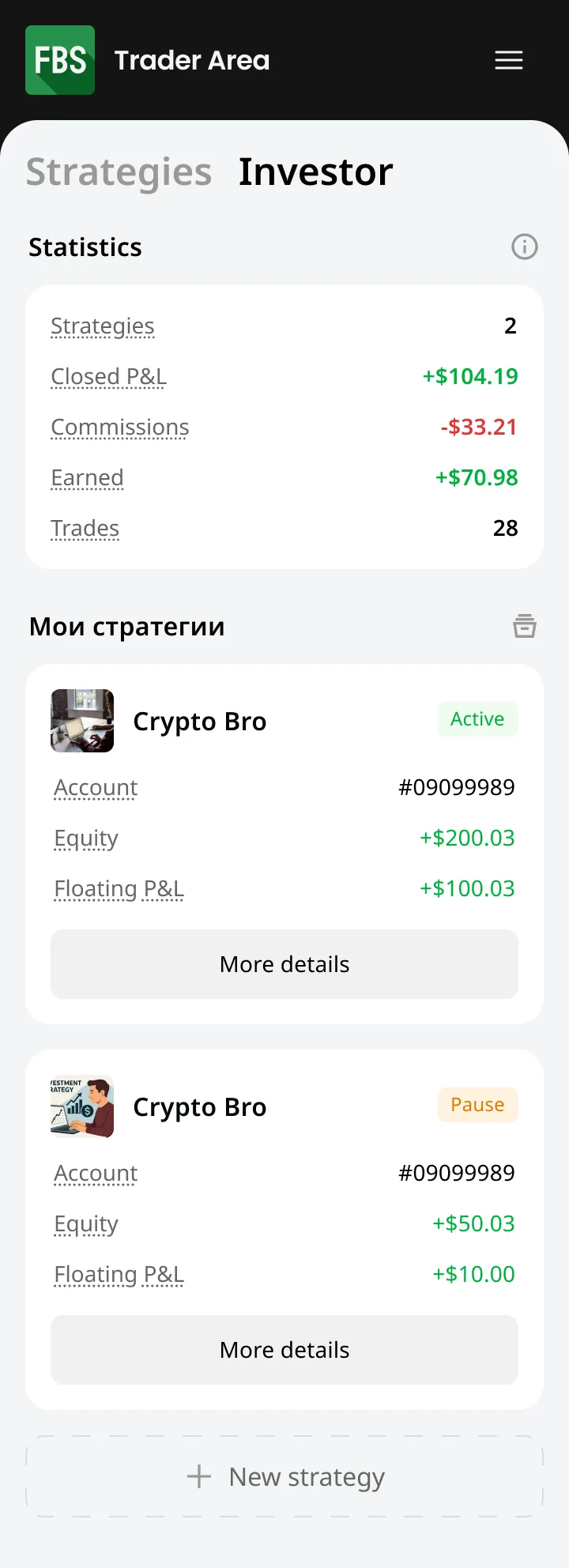
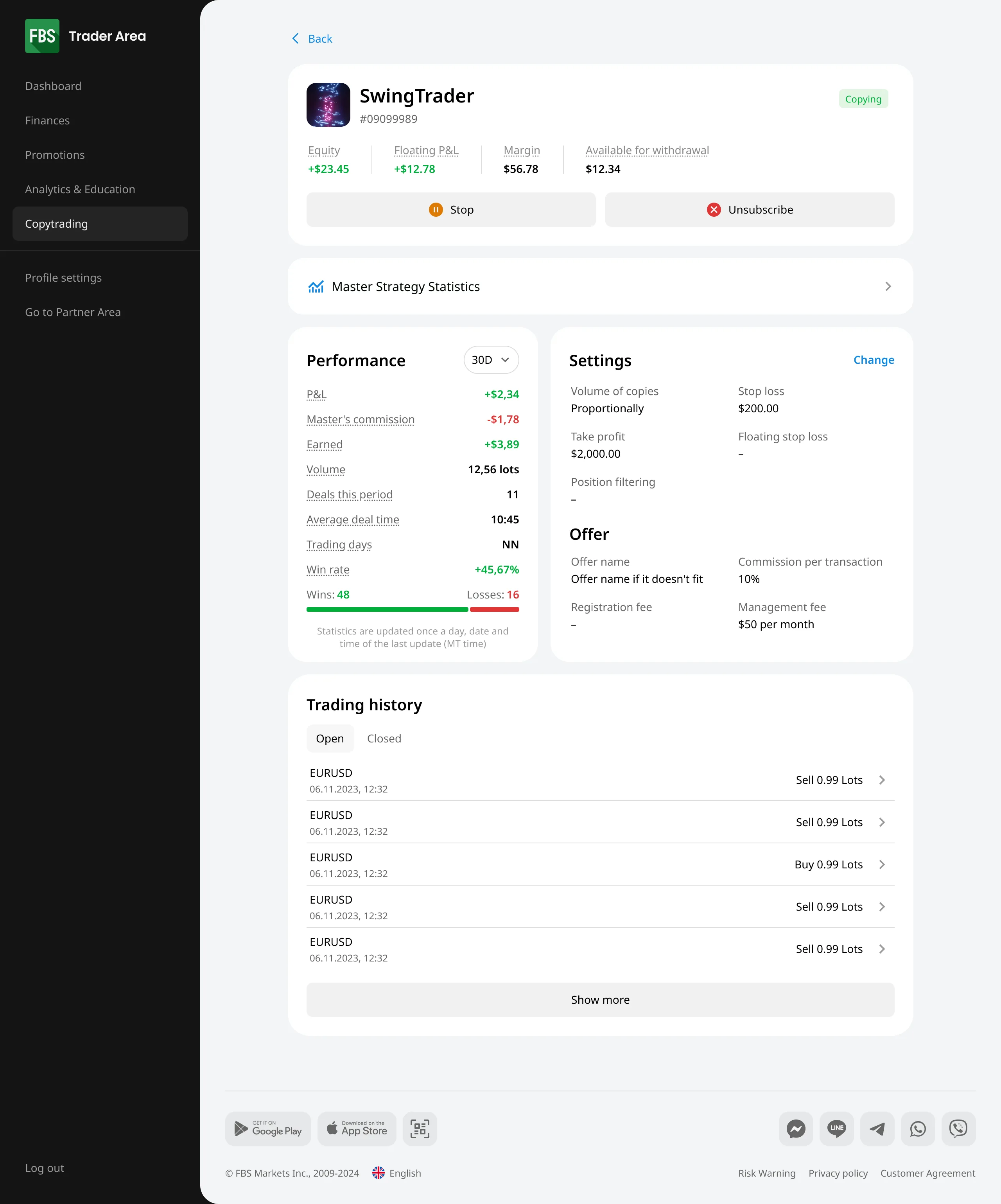
Copy setup opens on a light, sensible default – a first-time investor can start copying in a couple of taps. An experienced trader can expand the same flow into granular parameters and tune the copy in detail. One flow, two depths, instead of forcing everyone through the full set of settings.
Plain-language terminology
Rather than assume users know the standard copy-trading vocabulary, every term is explained inline in plain words – so neither a beginner nor an experienced trader has to leave the screen to understand what they're setting.
Manual control
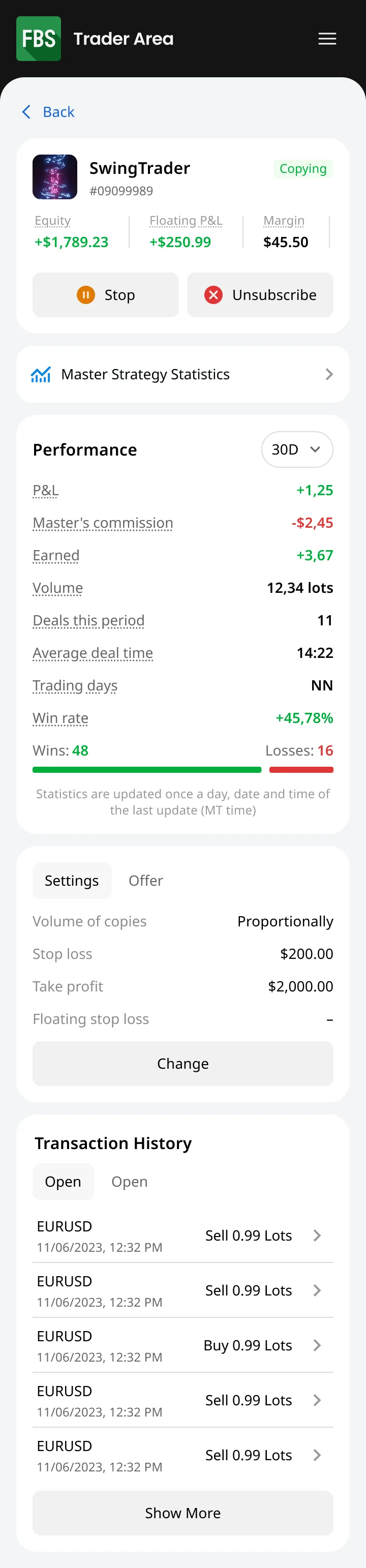
Copied trades aren't a black box. The investor can edit or close any copied position by hand at any time, not just wait for the master to act – directly answering the "lose less, stay in control" signal from research.
Architecture
Debated for a long time whether to embed CopyTrading inside the existing FBS trading app or ship it as a separate one. Chose a separate mobile app. The existing app was already overloaded; stacking a new logic layer on top would make both products worse.
Design system
The existing web dashboard had no real component base – about 100 colours with no clear assignment. I assembled a minimal working kit from what was there rather than rebuilding a full system. The rewrite wasn't the battle to fight at this stage.
Result
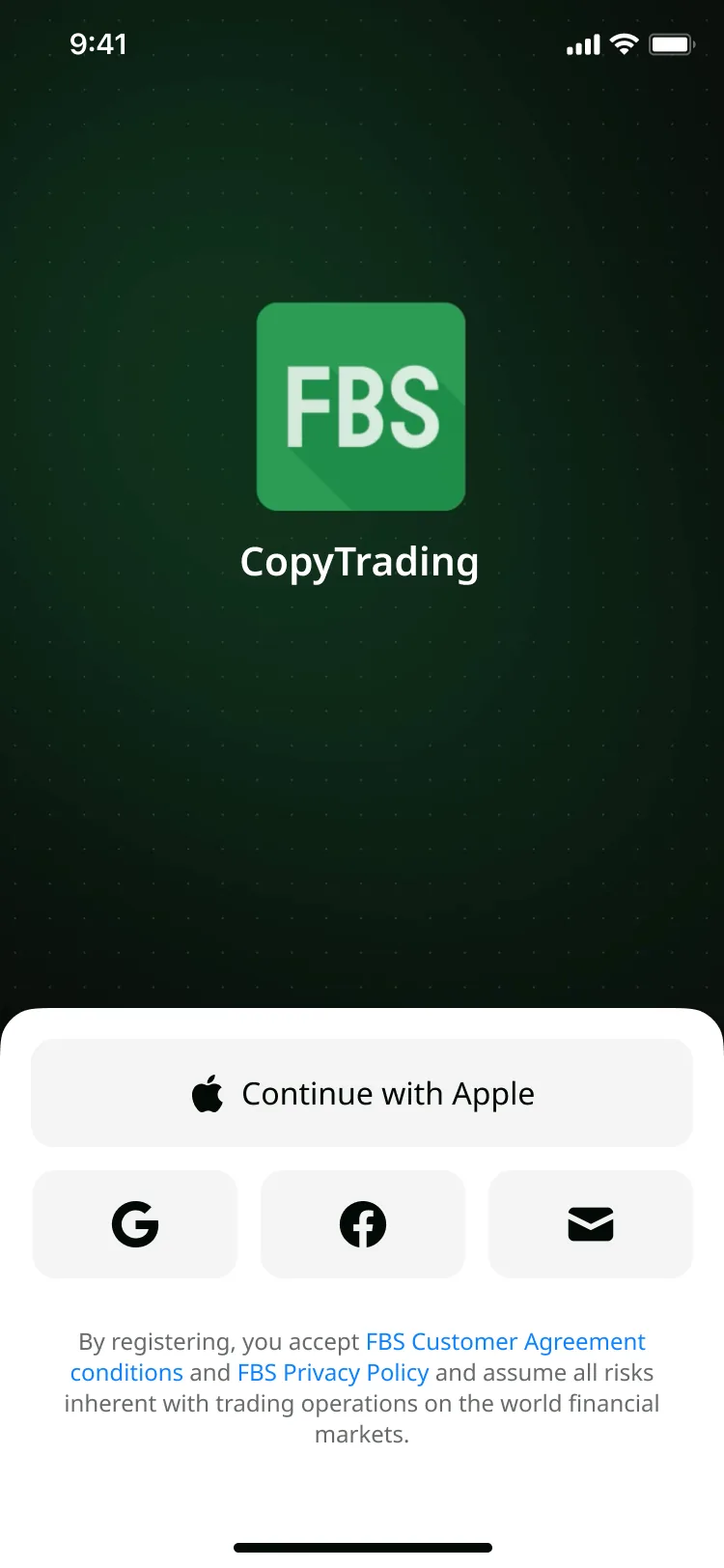
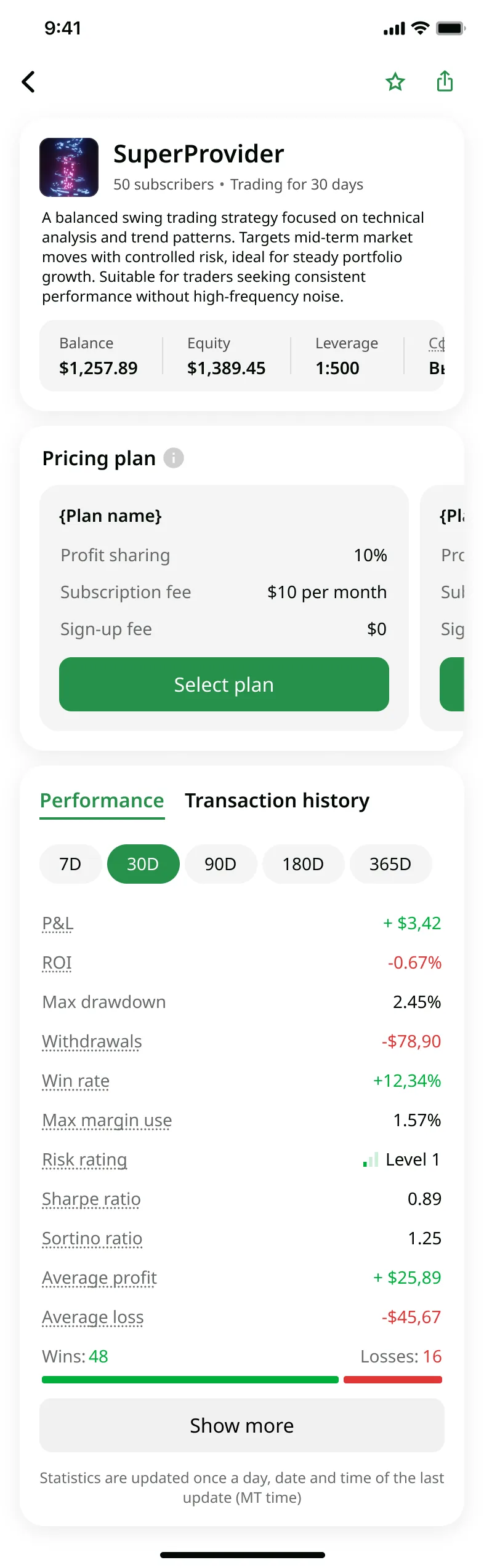
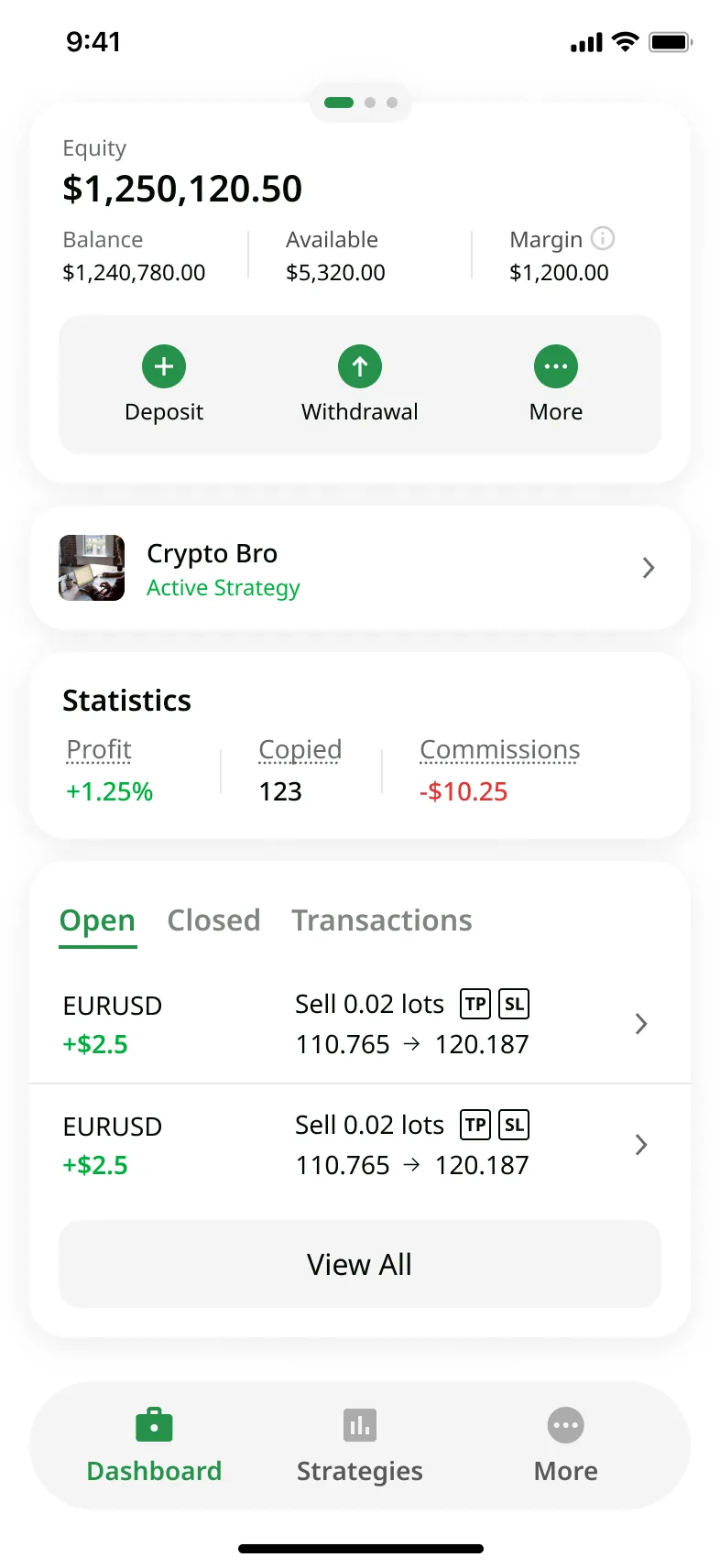
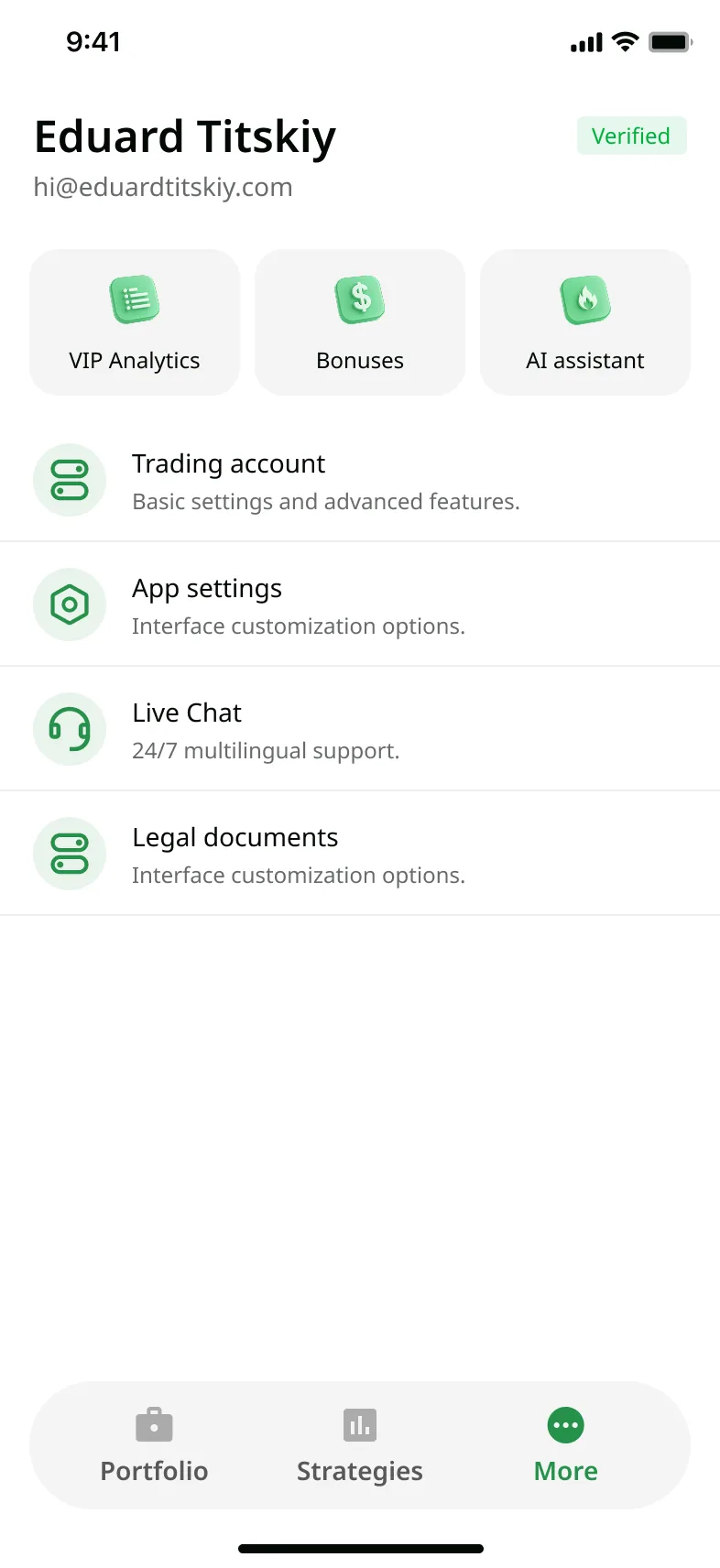
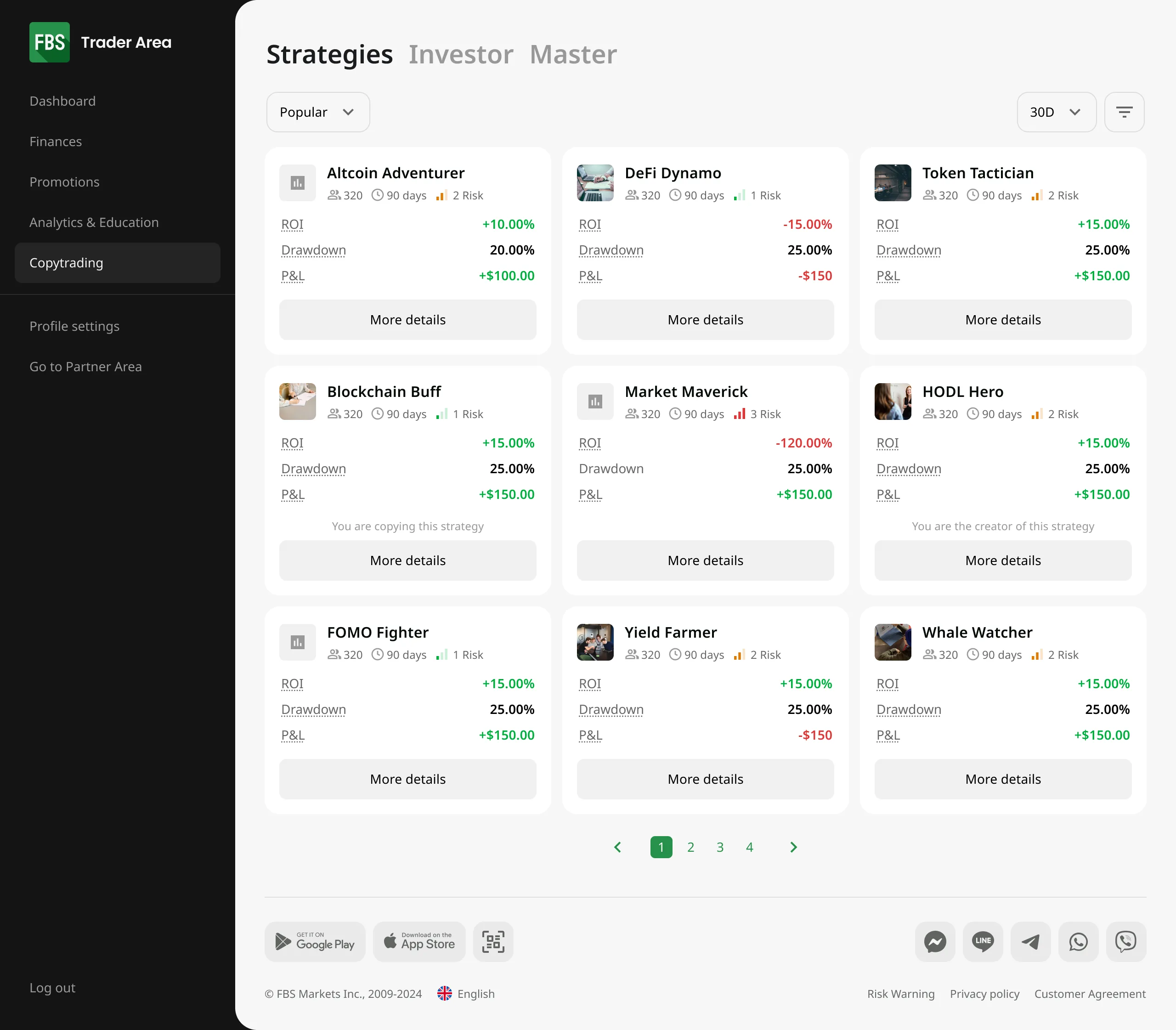
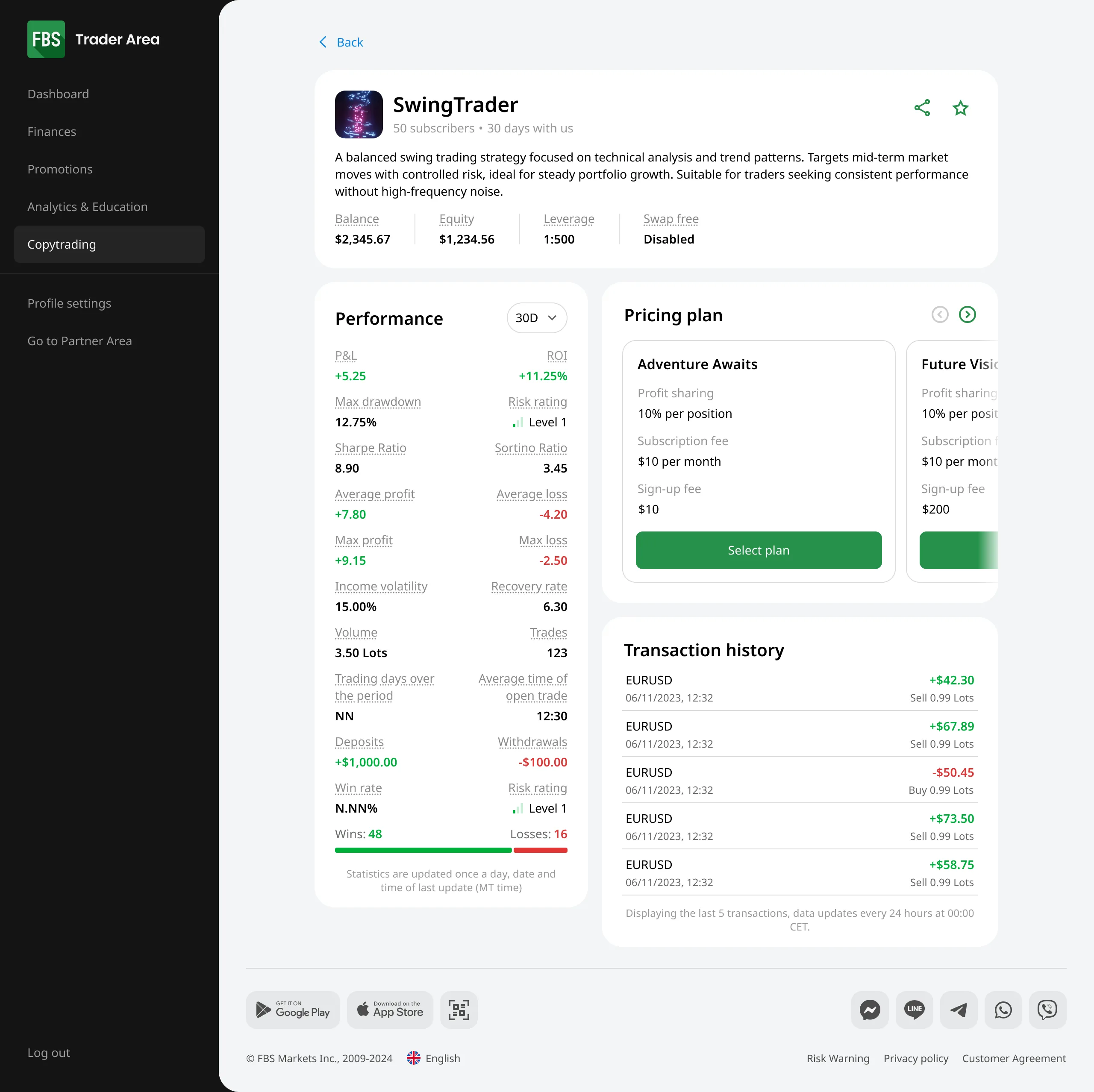
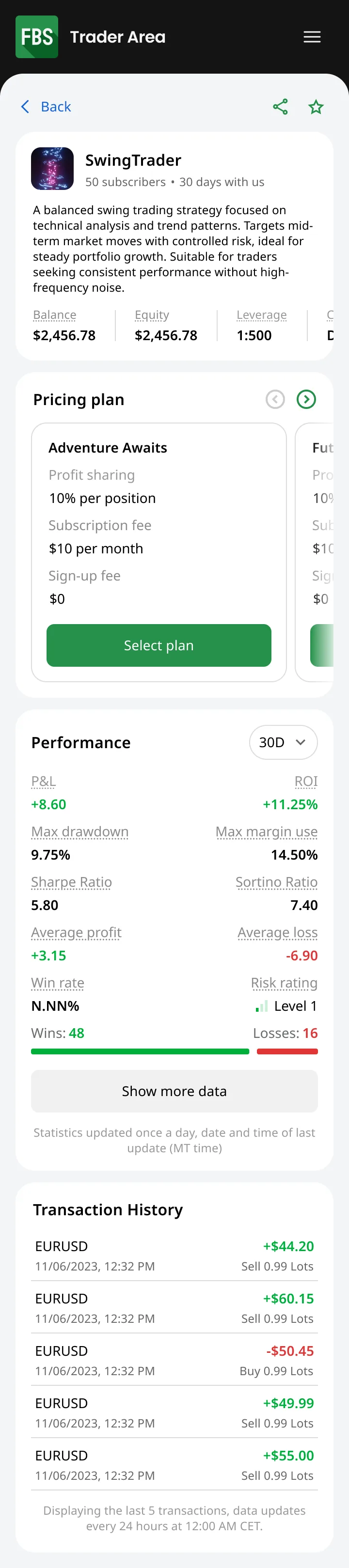
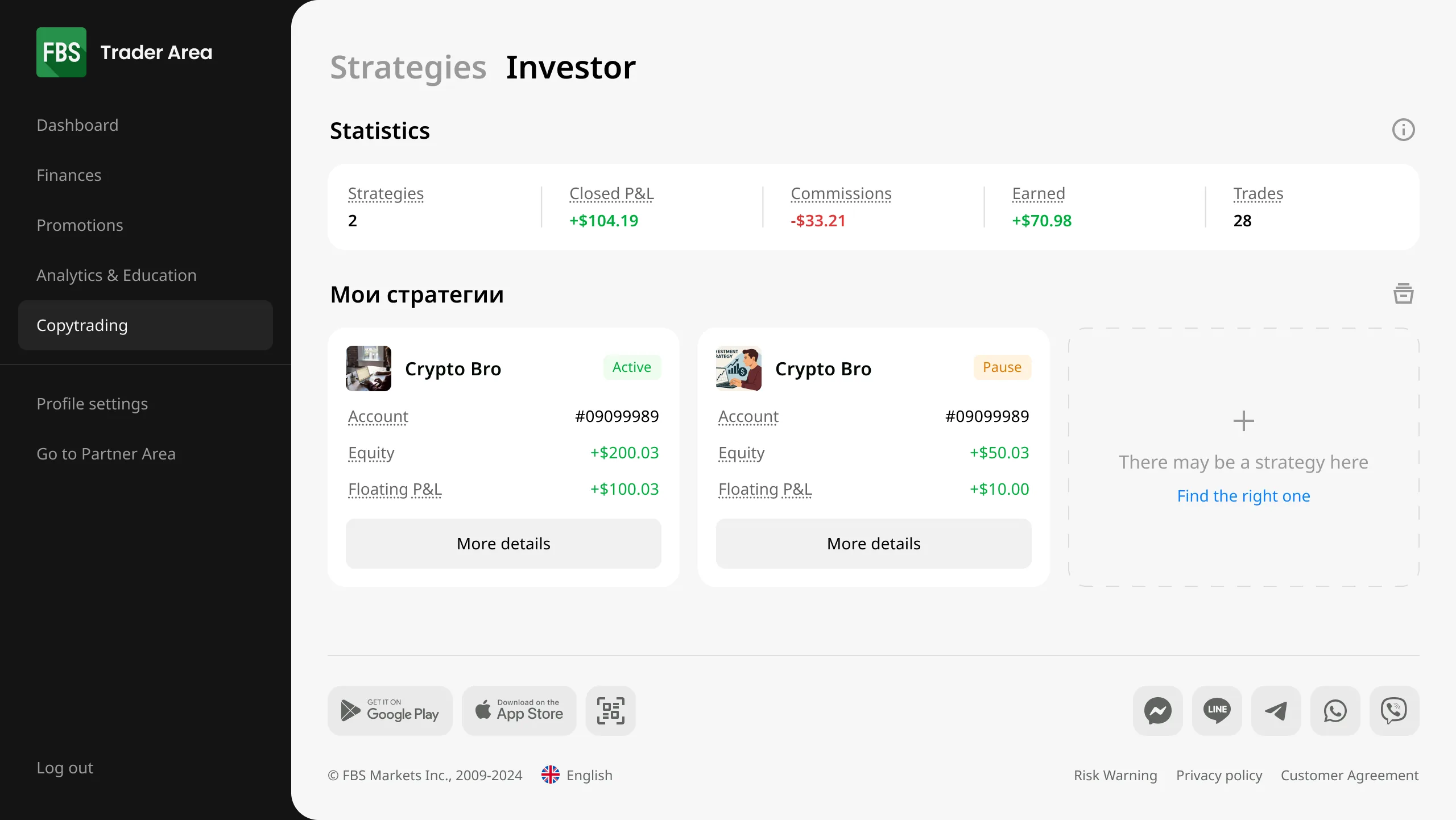
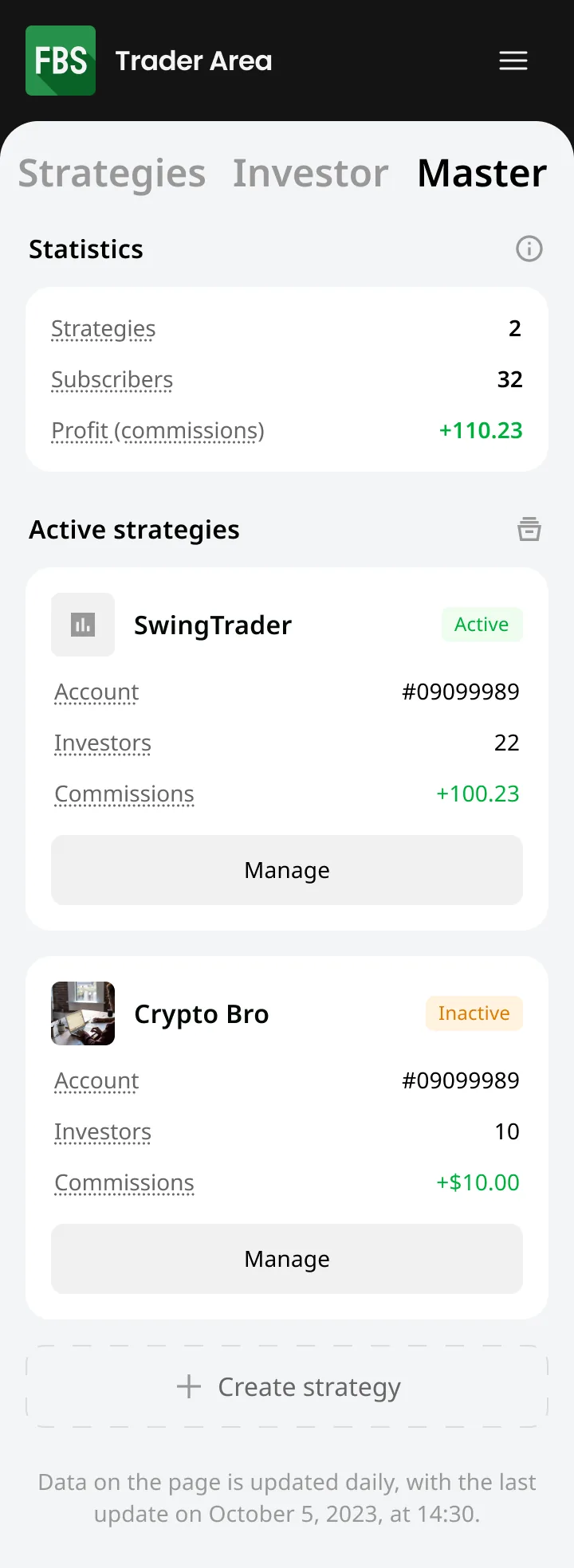
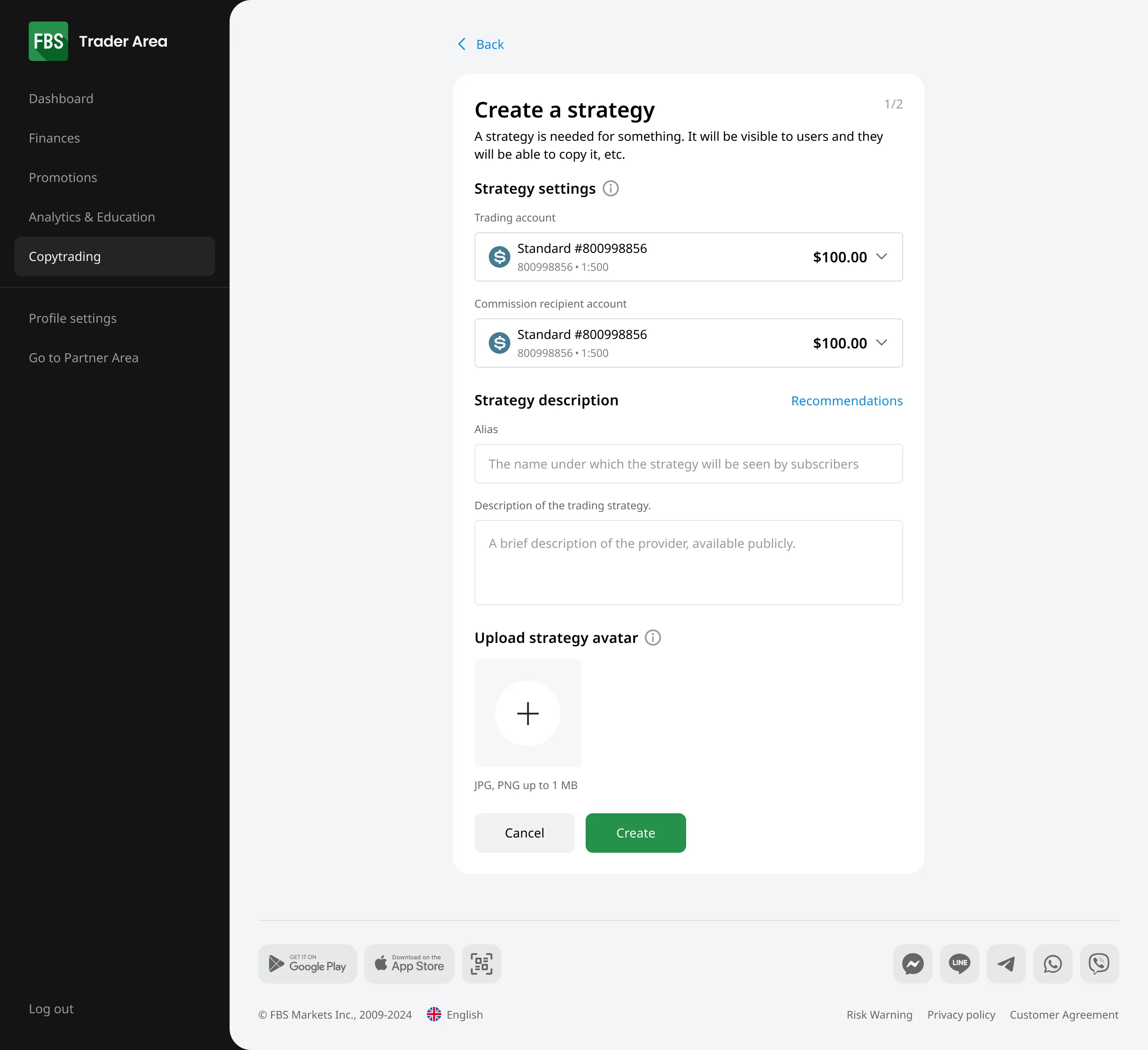
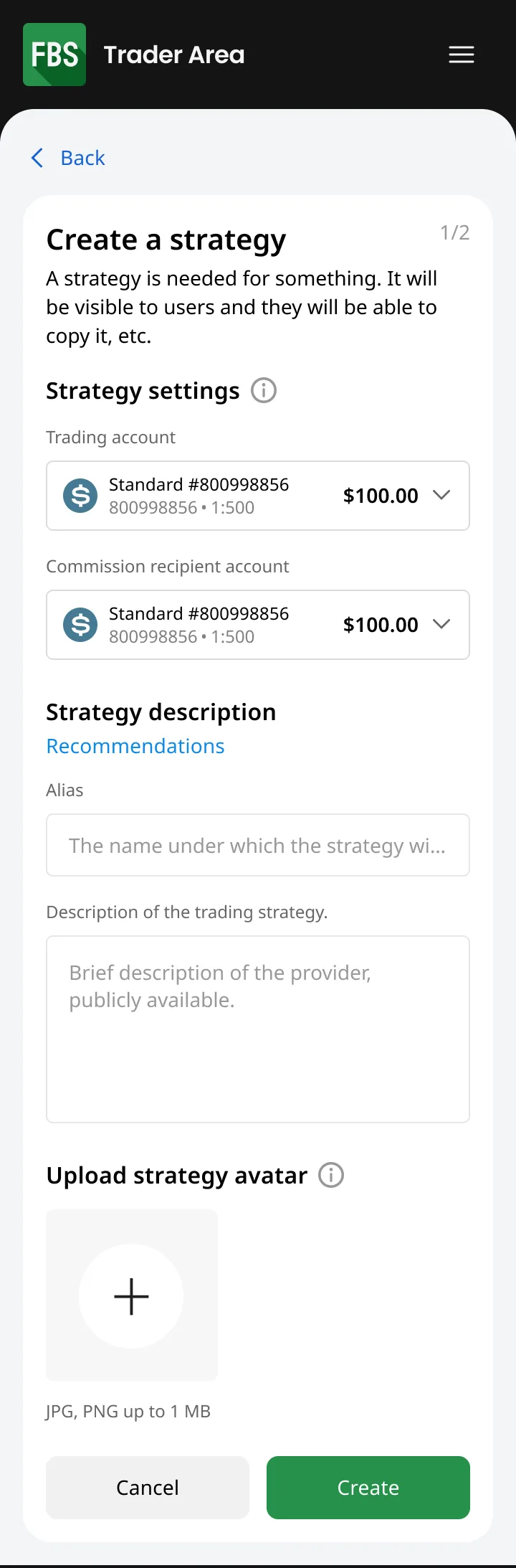
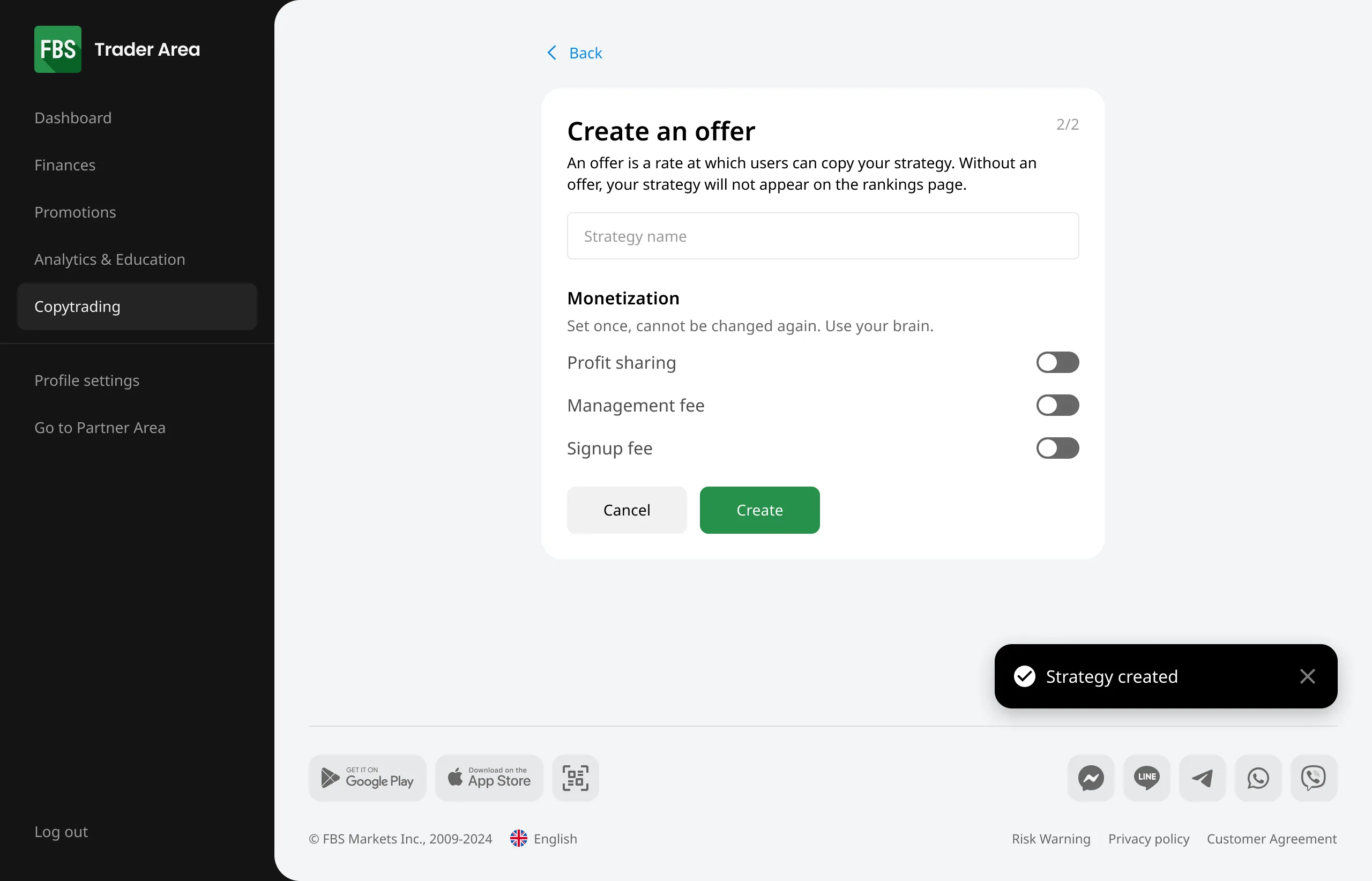
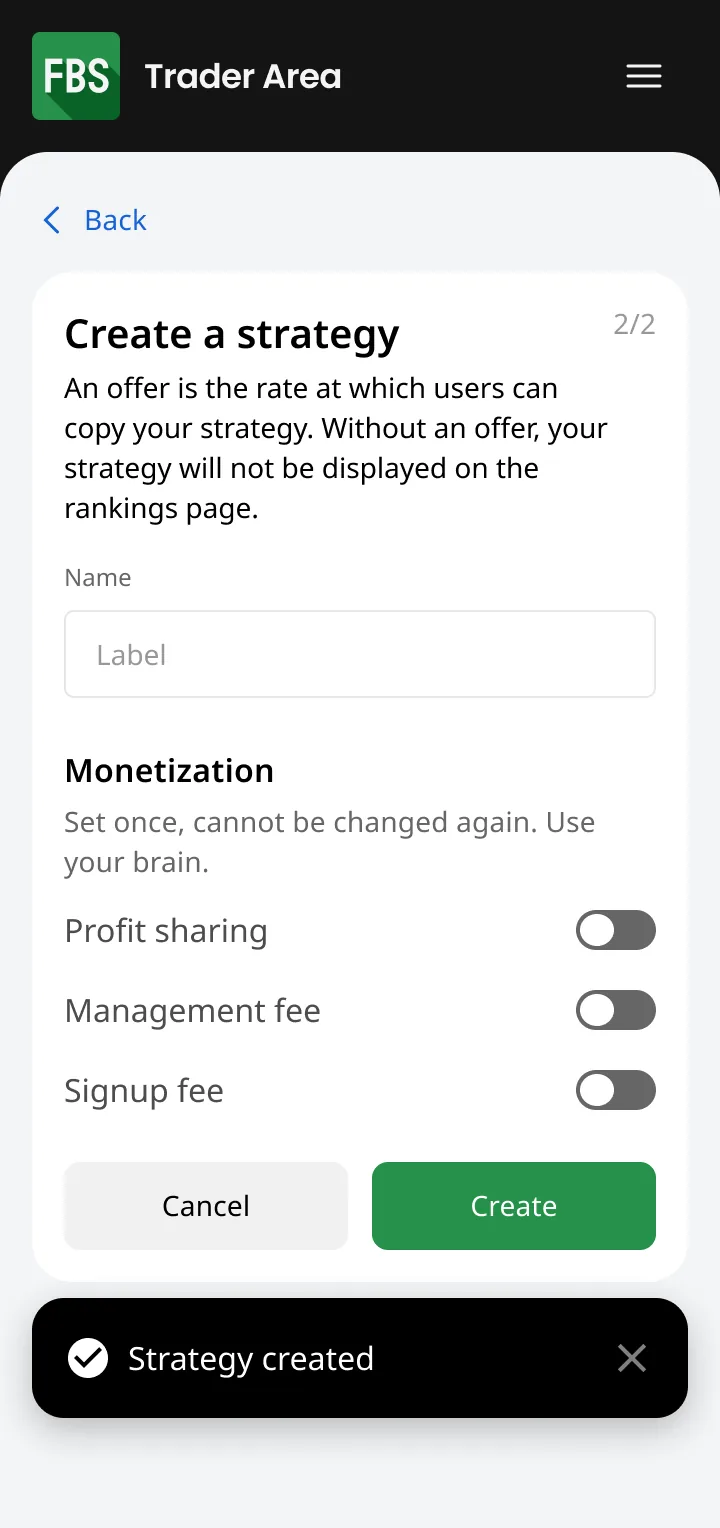
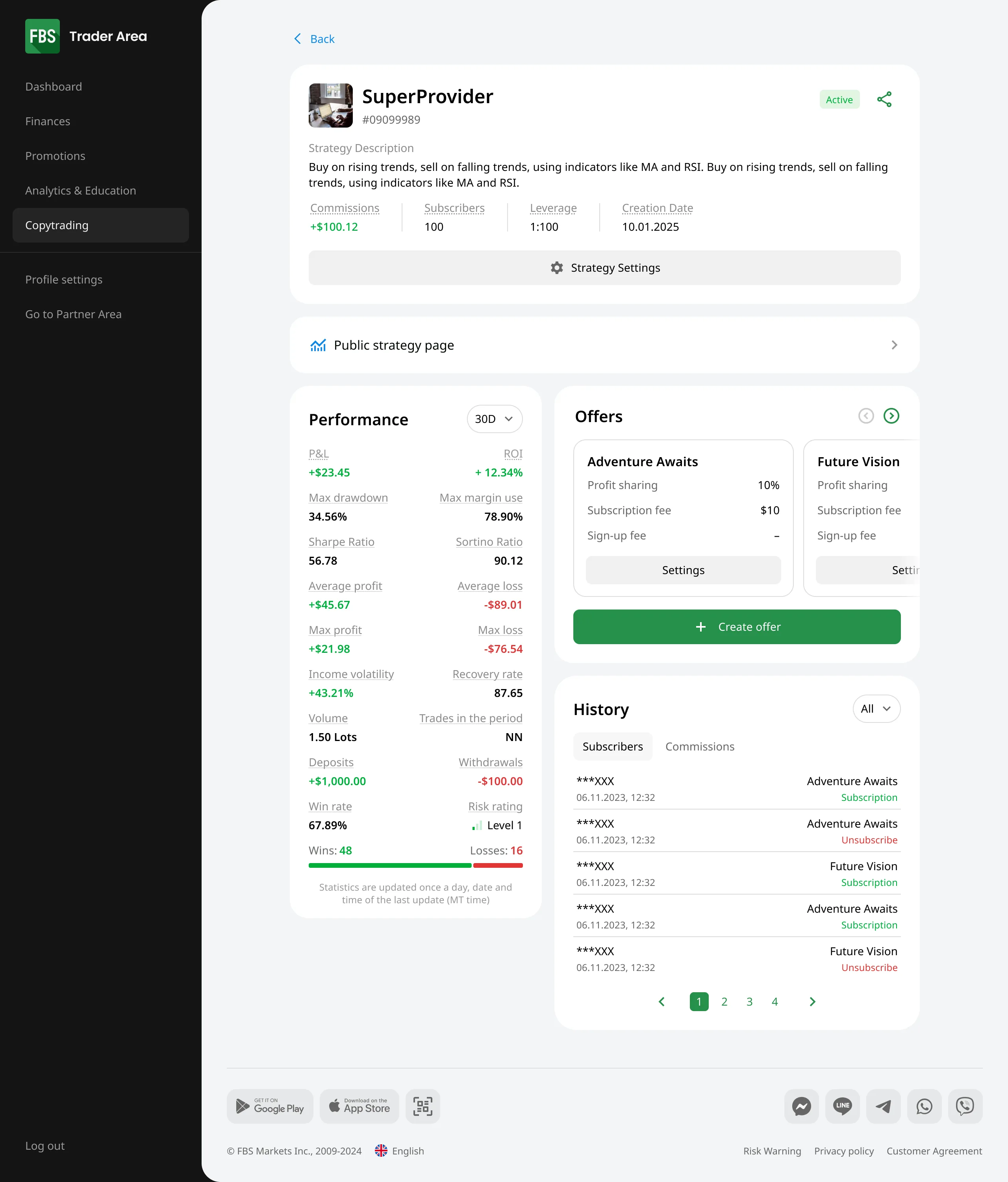
Designed end-to-end across two user roles and admin CRM, on iOS, Android, and web. Production-ready handoff delivered. After I left, the company restructured and closed the global market, so the product did not launch.
Master (the experienced trader)
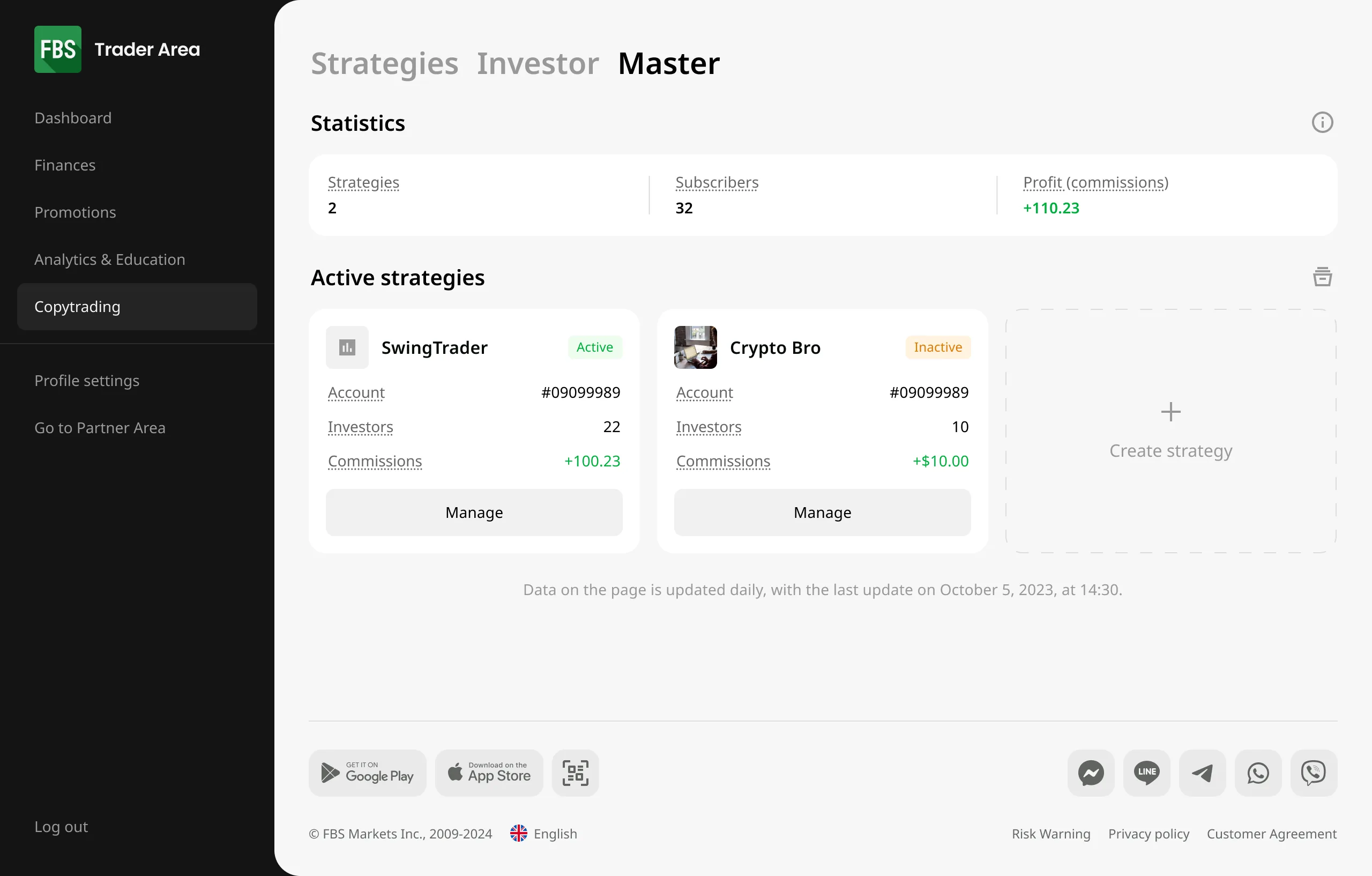
Registration and verification → strategy creation → offer and monetisation forms → ongoing management of strategy, offer, and trading.
Investor (the subscriber)
Strategy discovery → subscription → copy-parameter setup → copy start → analytics and fine-tuning.

AI Assistant – fix what's broken
AI Assistant already existed in the trading app. The flow was simple: tap a button on the chart, the algorithm snapshots the timeline and returns a prediction – buy or sell, at what size. Usage was low, and conversion from an AI session into an order hovered around XXX%.
Process
Ran moderated qualitative testing and deep interviews across two emerging markets, with both existing traders and newcomers. Four systemic problems surfaced.
Findings
Discoverability
Most people couldn't find the feature. The abstract icon didn't read as AI, so they looked in the wrong sections.
Indicators
The algorithm returns a more accurate prediction when MACD, Bollinger Bands and similar indicators are active – but users didn't know to set them up before launching, and couldn't change them once the report was generated.
Order creation
Unclear that order parameters were prefilled automatically; no way to open a position at market price straight from the report.
Trust
The algorithm didn't explain why it made a given call. No explanation, no trust.
Decisions
Before the report
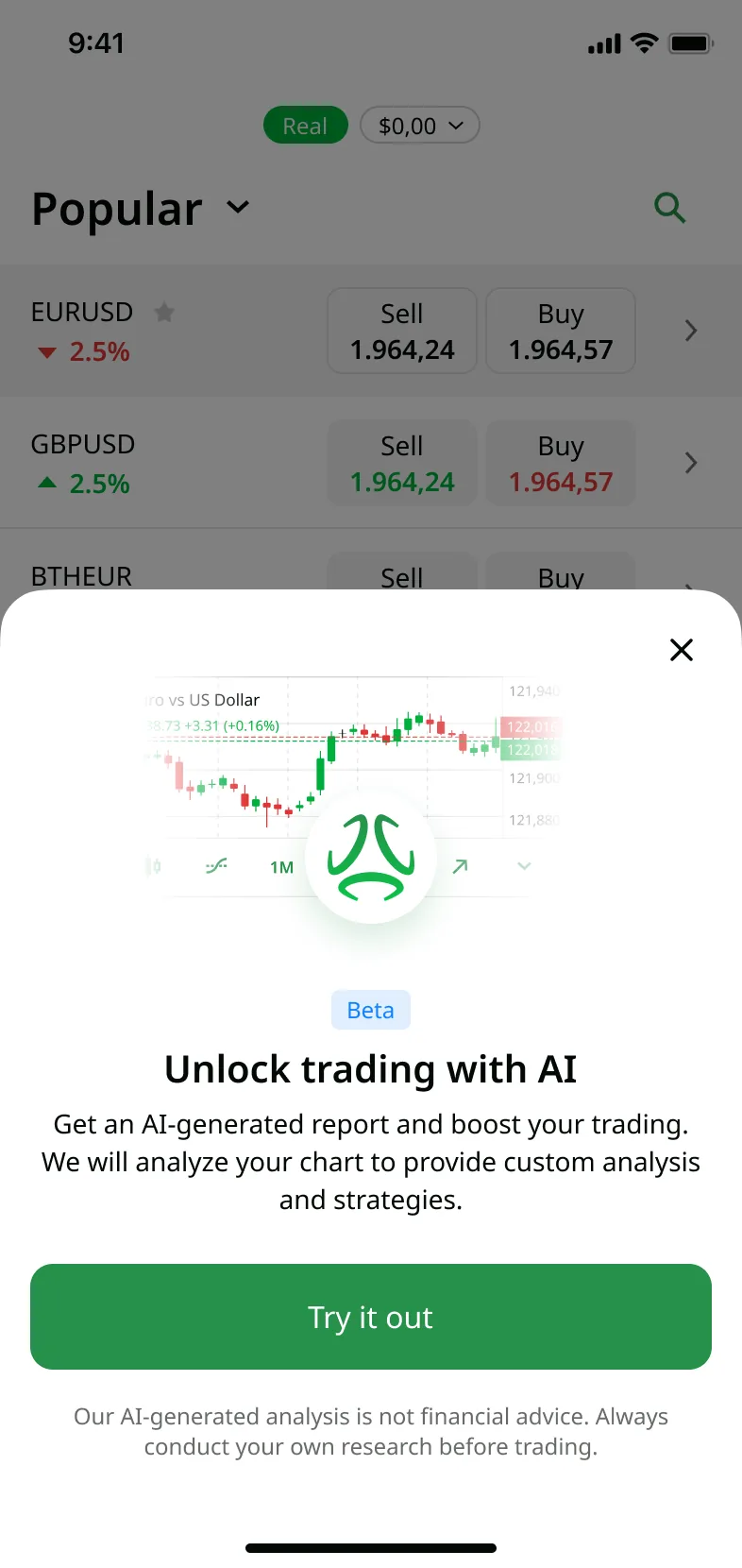
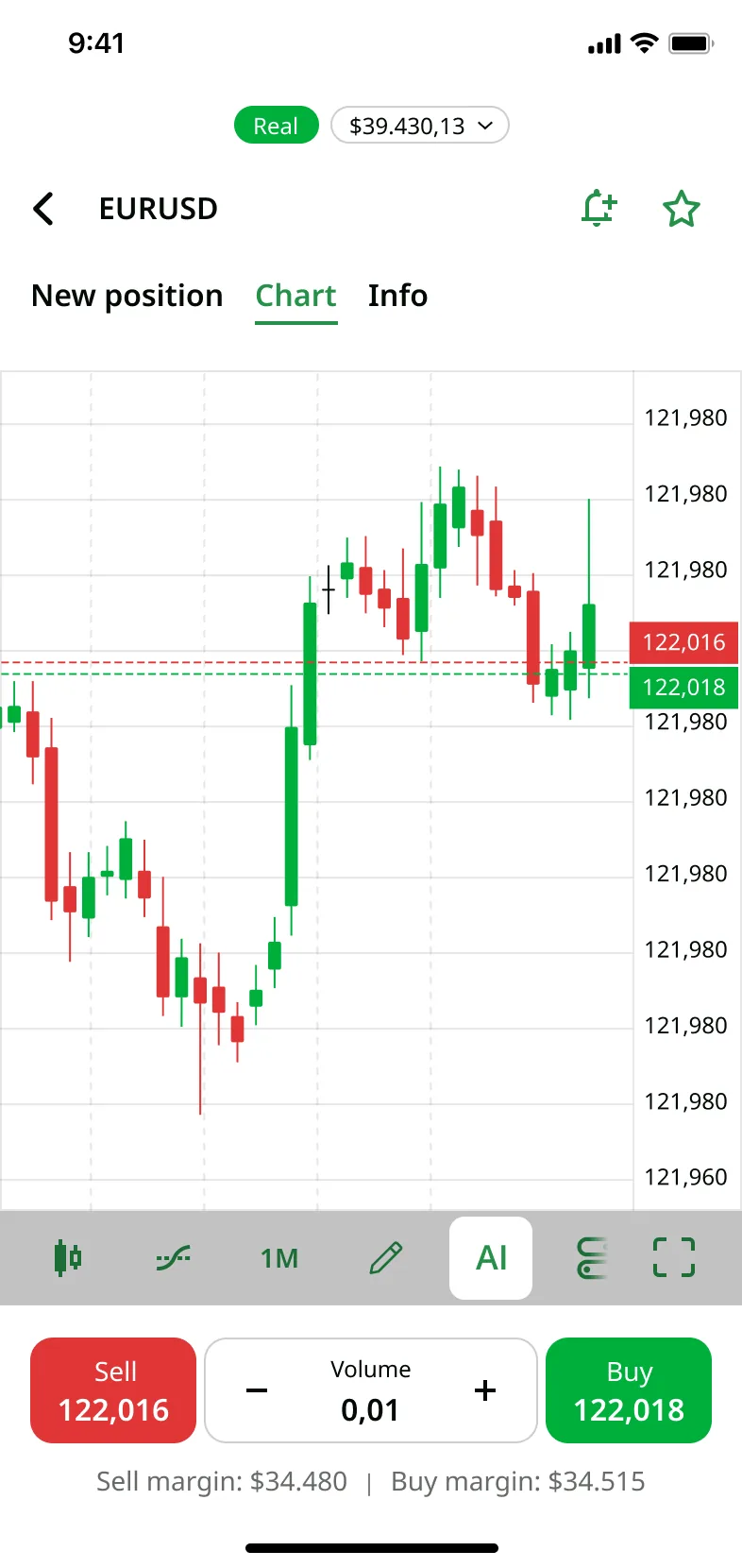
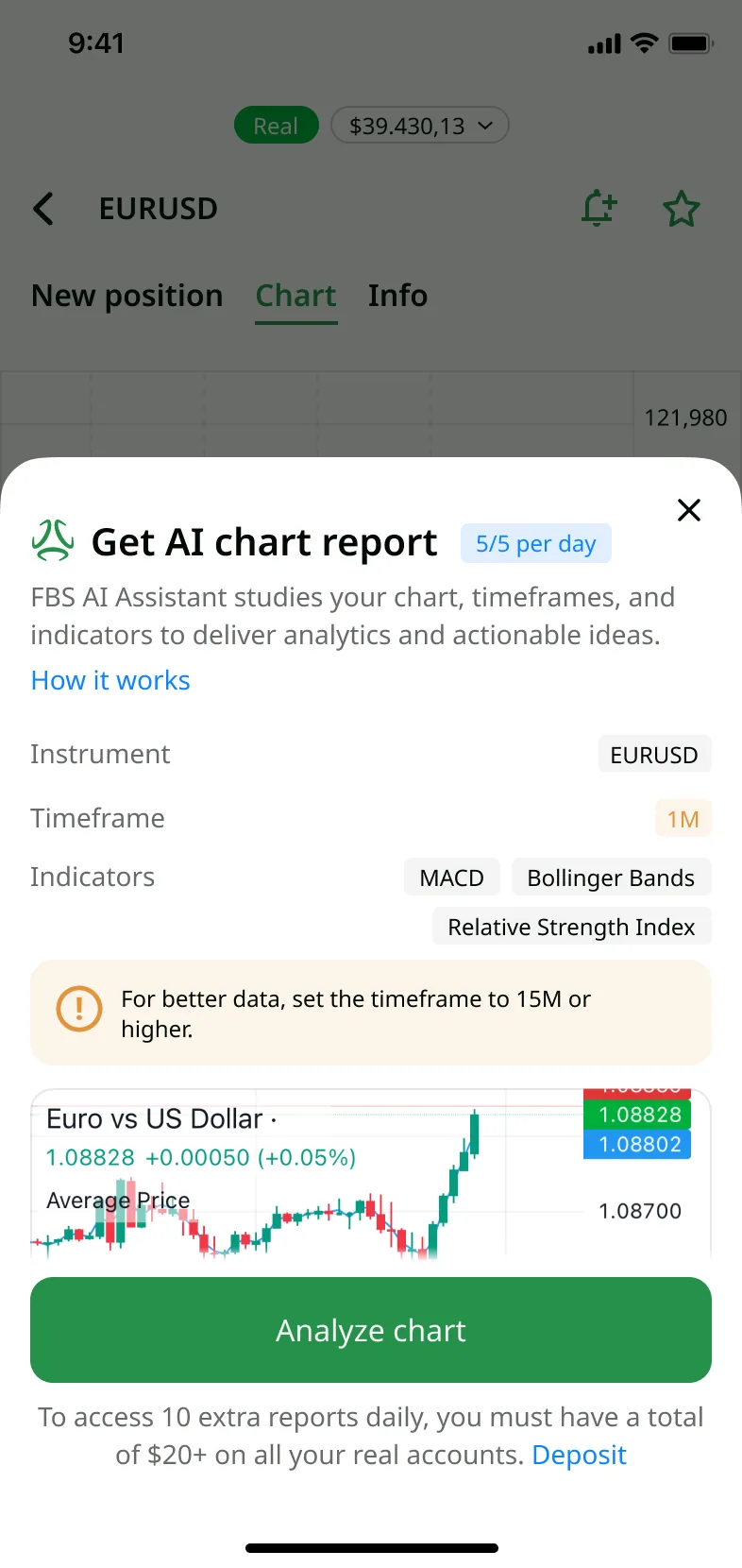
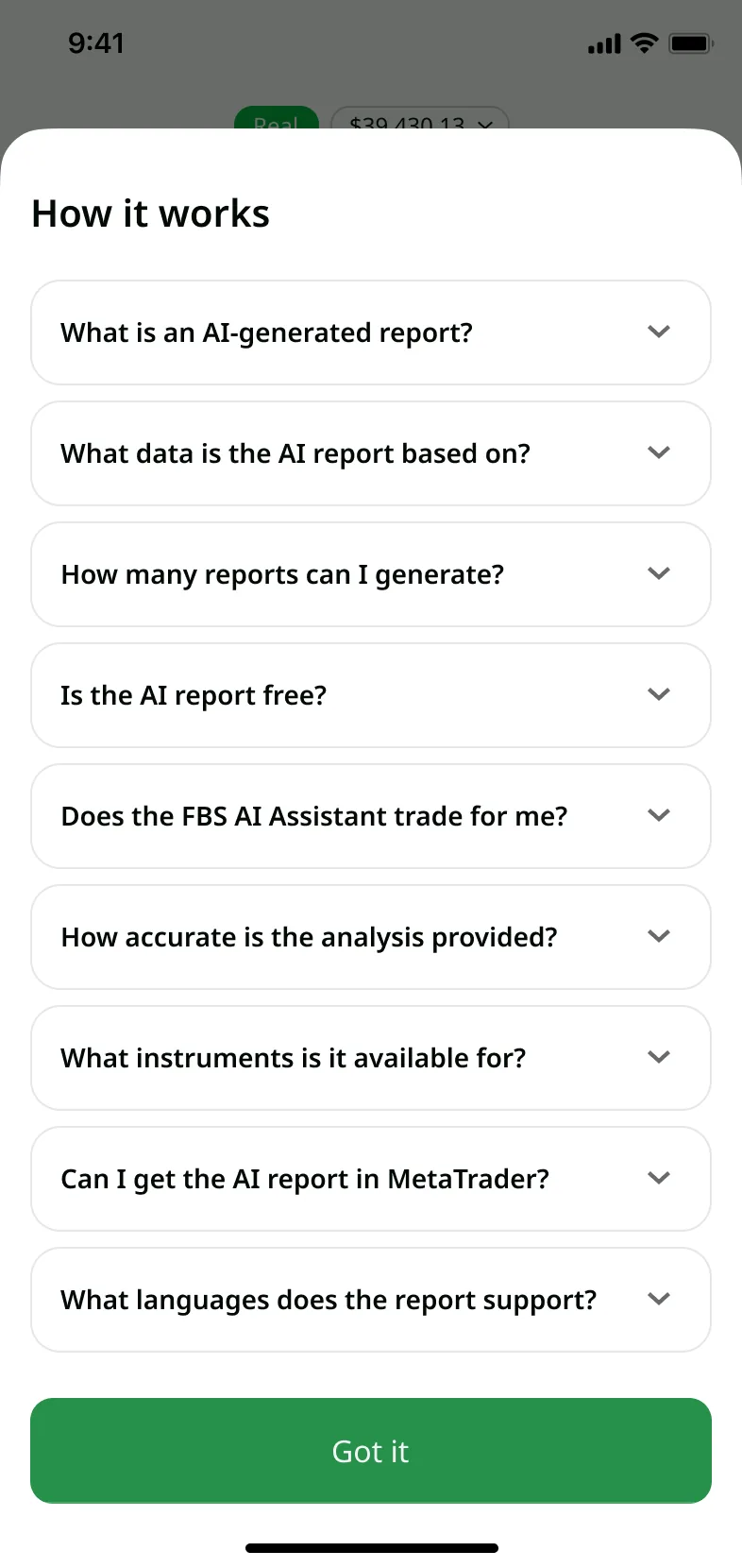
Replaced the icon with an explicit "AI" label so the entry point is unambiguous. Moved indicator and timeframe configuration up-front into the create sheet, before the report is generated. Added a FAQ that explains how the algorithm works – the direct fix for the trust problem.
After the report
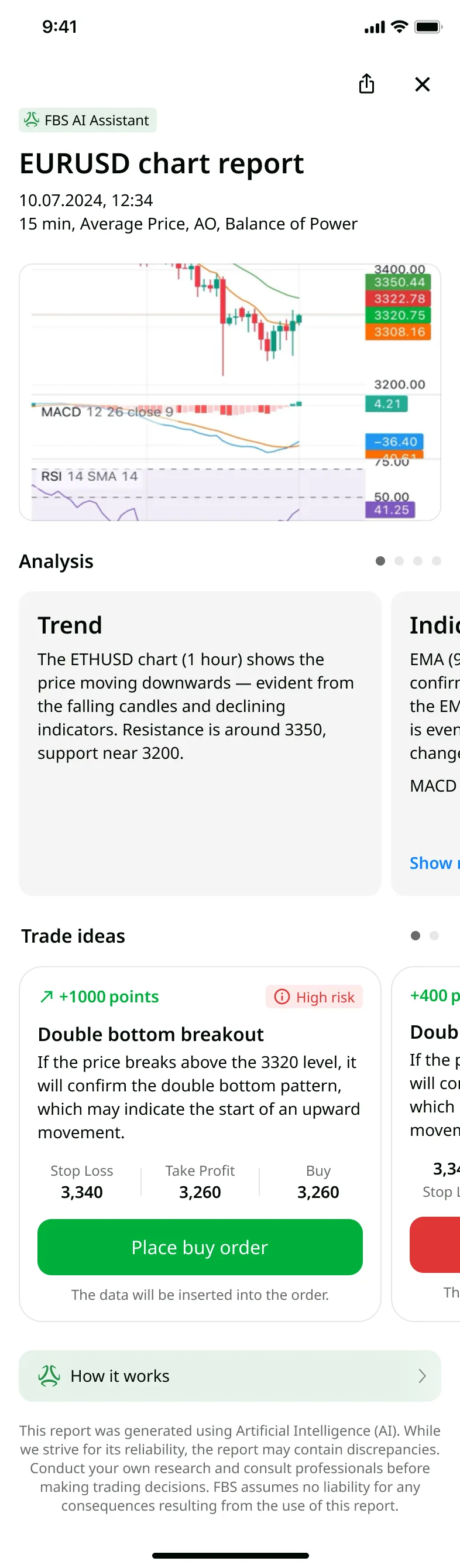
Rewrote the order cards with hints about autofill and added a one-tap "Trade at market price" action. Reordered the report so the verdict is visible without scrolling, and added a risk/reward metric that tells the user how risky the prediction is. Added report history with a dedicated entry point and a results view.
Result
7-day retention around XXX%. The share of AI sessions converting into an order rose from ~XXX% to ~XXX% over nine months – a meaningful uplift in act-on-recommendation rate.
Custom Alerts – ship from a user signal
The team was chartered to find breakthrough ideas, with the autonomy to decide what to build. This one converged from several directions at once: a trader raised it in a service-design session, a stakeholder saw the business case, and quantitative research later confirmed the pain across the user base. I owned the call to invest and the end-to-end design. The problem is sharp: traders can't watch a screen all day, but plenty of strategies hinge on a price event that happens later. Missing the moment the market hits a key level is the difference between making and losing money – so traders need to be told the instant it happens, in time to act.
Process
Looked at how competitors handle alerts, mapped the feature into the existing mobile app, and built the state diagrams. Then – critically – prototyped it and ran a usability test before engineering started: 309 active traders (at least one trade in the past month), remote and unmoderated.
Findings
Demand
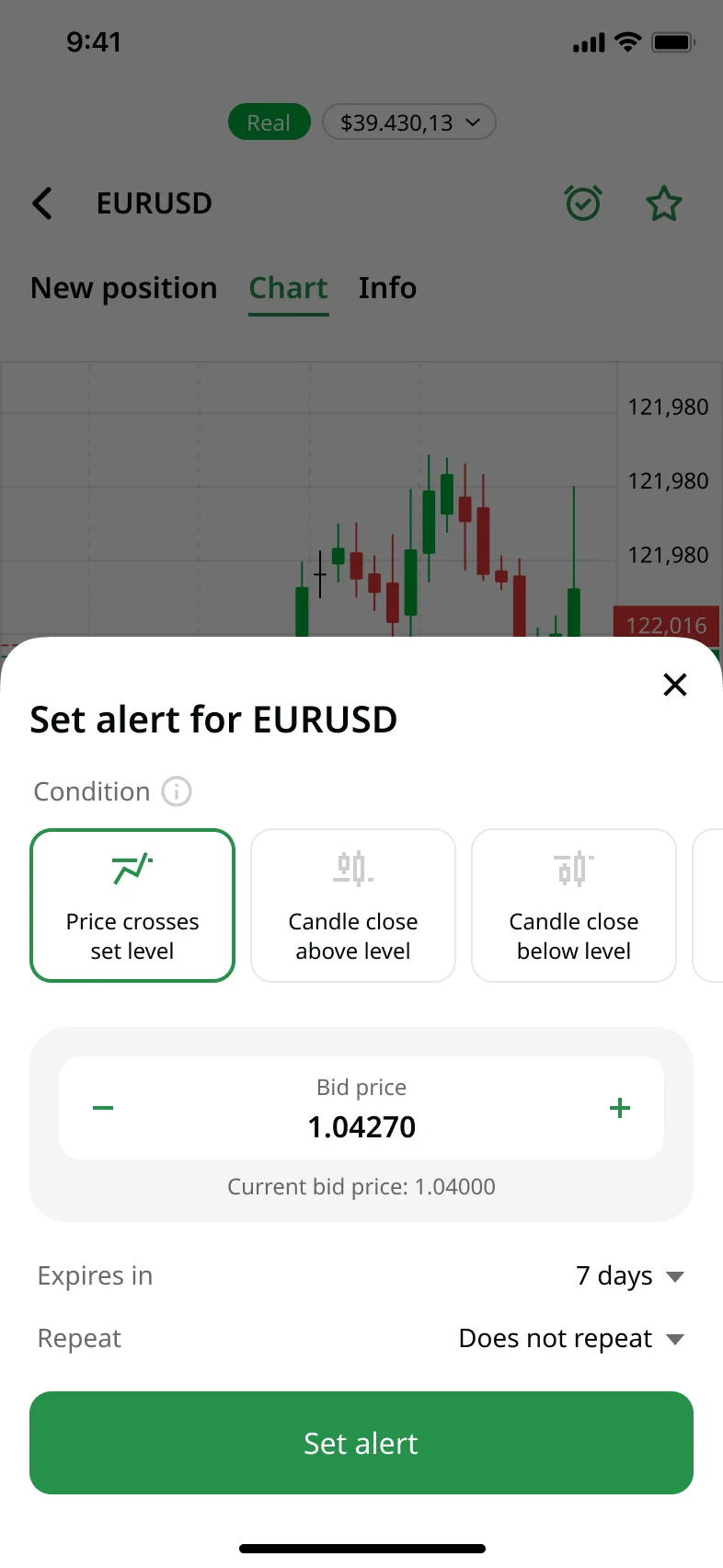
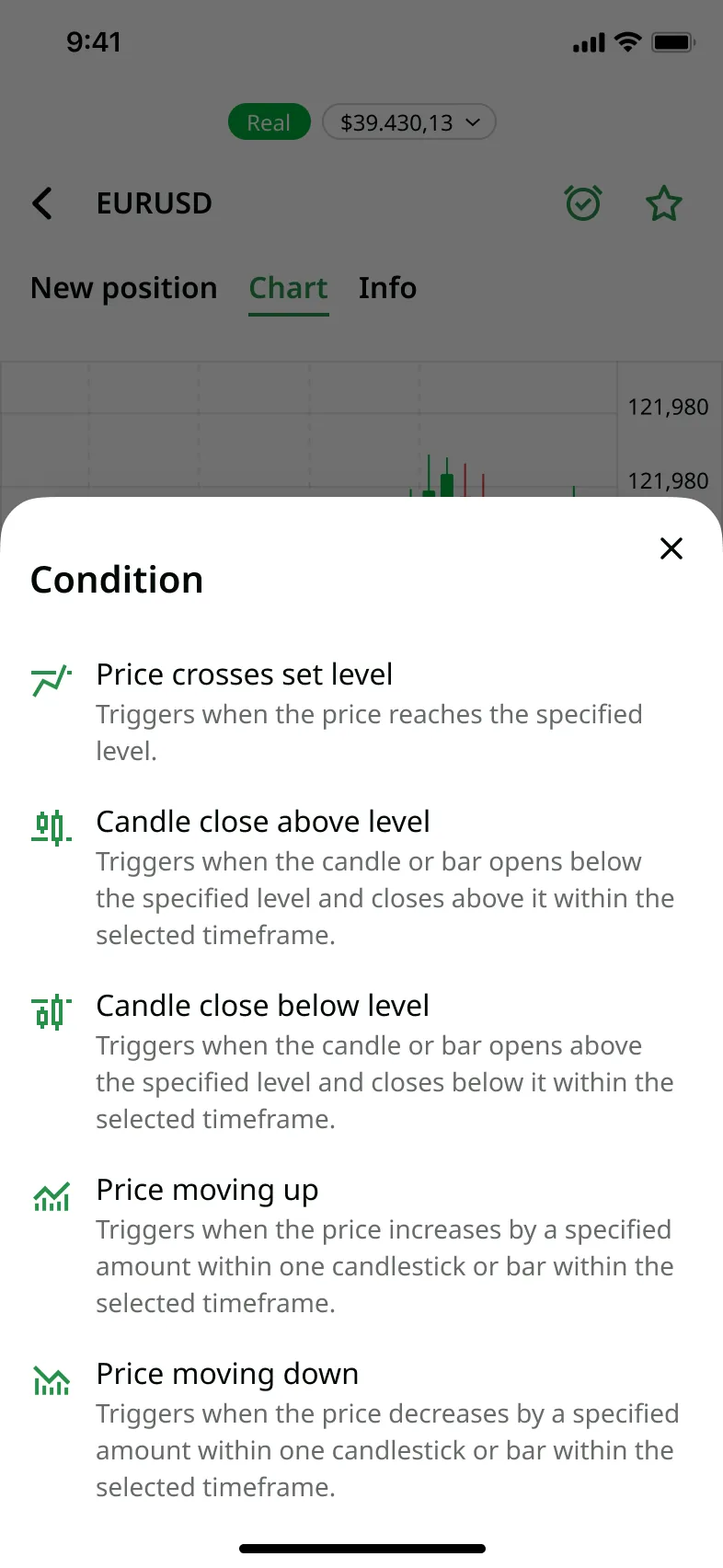
84% saw alerts as useful for trading; 42% had used alerts before; the most-wanted condition was "price crosses a set level" (54%).
Usability
73% created an alert successfully (78% of them from the instrument-specific screen); 77% found and deleted one. Once users reached the entry point the mechanics were easy – where that entry point lived was the real lever.
Decisions
Two entry points
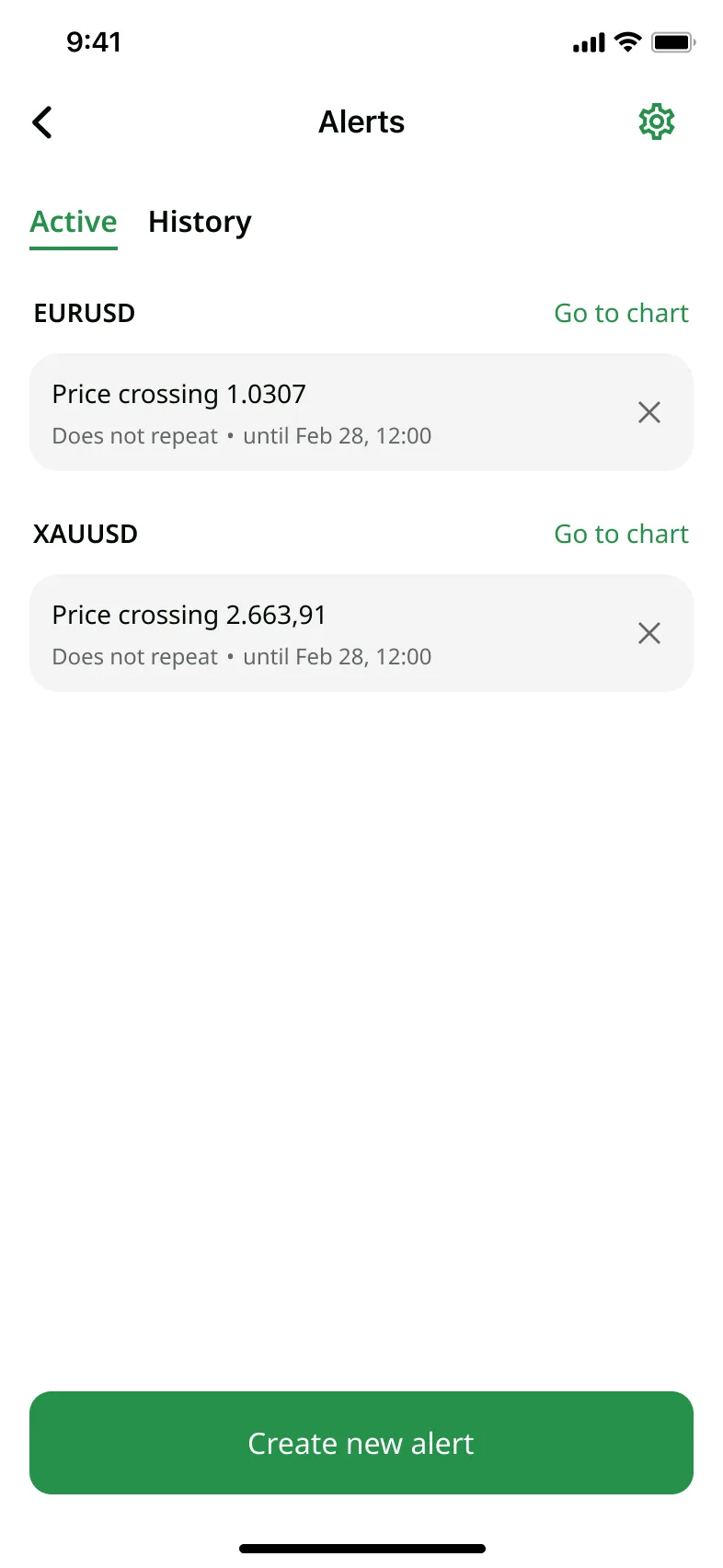
Alerts are per-instrument, so where you start matters. A global alerts section on the all-instruments page for traders juggling many alerts, plus a per-chart entry on each instrument for traders focused on one. The non-chart route gets its own instrument-search step.
Adaptive create flow
The chart entry is stateful: no alerts yet opens the create sheet directly; alerts already set turns it into an editable list with an add control. Five alert types, each with its own parameters, each explained in plain words.
On-chart display, within platform limits
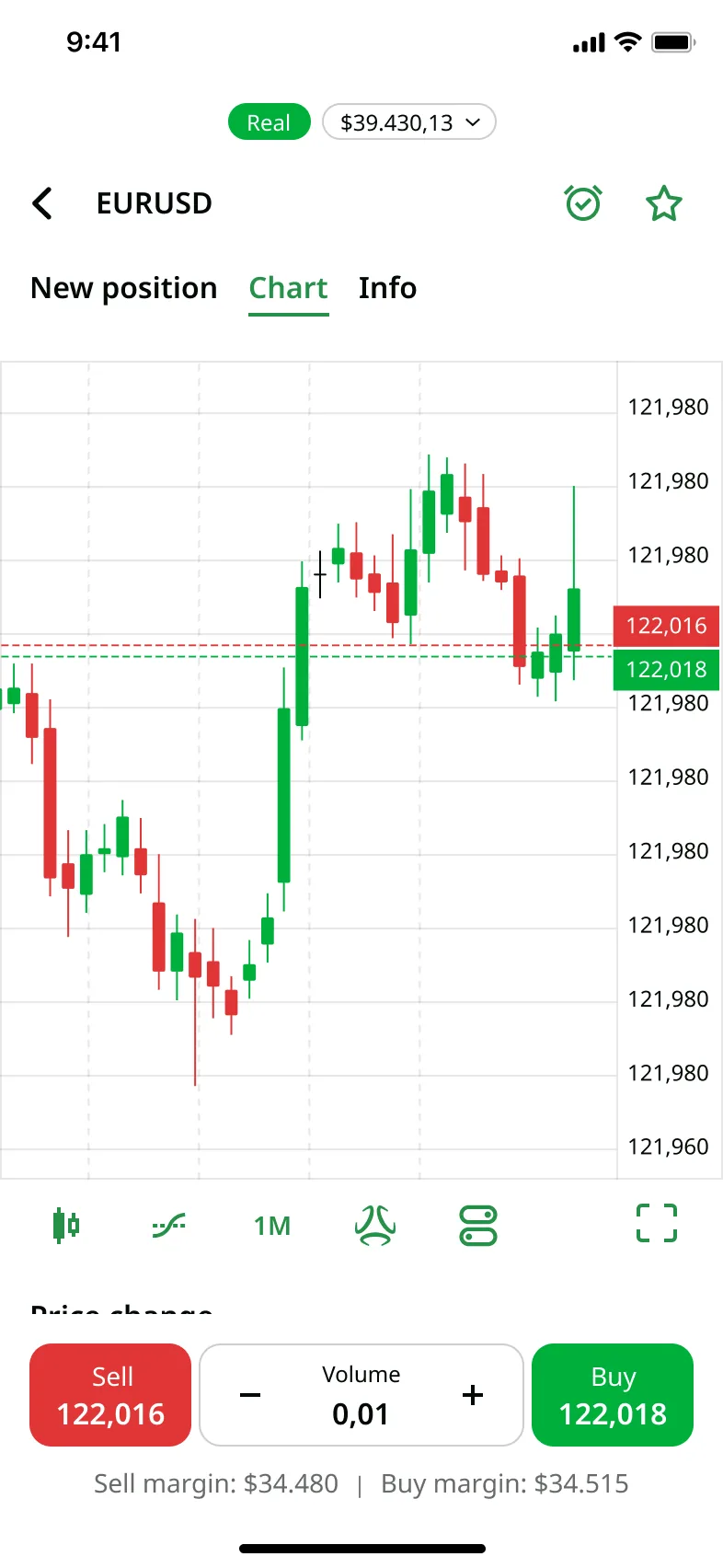
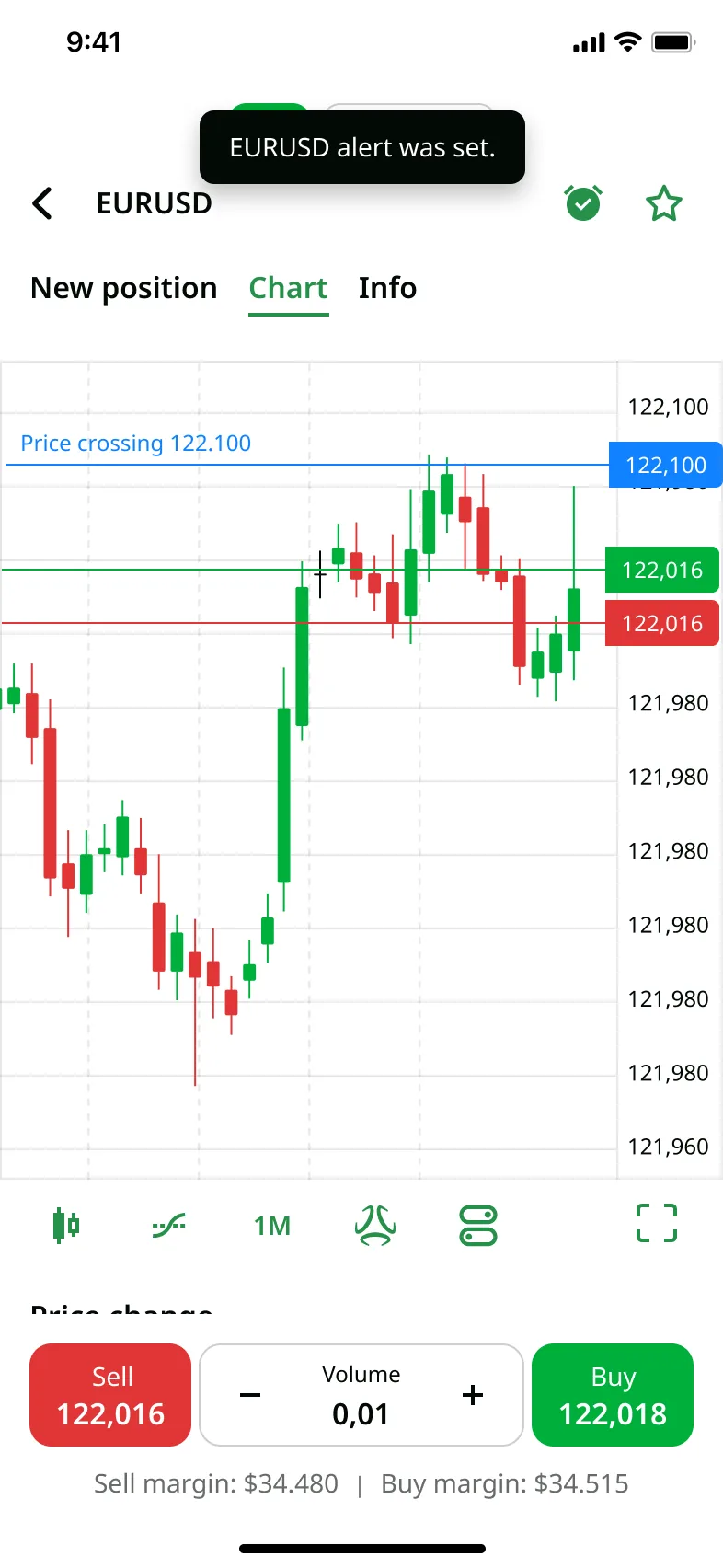
The charts run on TradingView, which capped what was technically possible (no press-and-drag to move an alert line). Shipped the meaningful minimum: multiple alerts drawn on the chart, restyled in brand colours, deletable straight from it.
Designing down to real constraints
A cap on simultaneously active alerts to protect the backend, throttled notification frequency because the messaging service billed per send. Each constraint became a design decision, not a blocker.
Icon
Replaced the bell with an alarm clock – closer to how users actually think about alerts.
Result
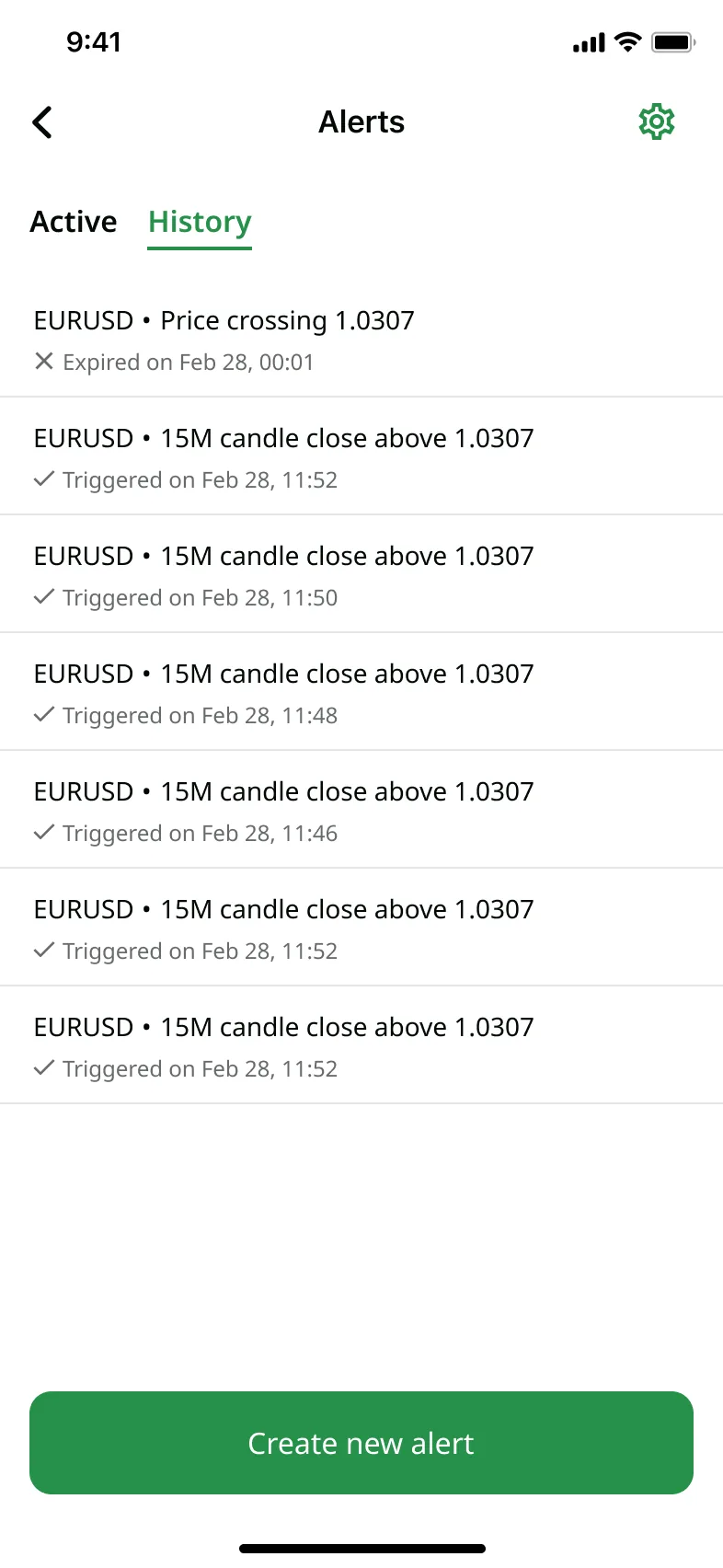
Custom Alerts shipped in the mobile app, creatable straight from the chart screen. 7-day retention XXX% in the three months following launch.
Result
Three directions, different in nature, same approach: design from zero, fix what users couldn't use, and ship from a validated user signal. In each case, research came before the design, and the design was validated before the build. CopyTrading reached a production-ready handoff but did not launch after the company restructured and closed the global market. The AI Assistant redesign and Custom Alerts shipped to production in the FBS mobile app.
Learnings
Three problem types in one year taught me to match the method to the problem, not the reverse. A from-zero product needs demand validation before a single screen. A broken-but-shipped feature needs to surface why users bounce before any redesign. A user-requested feature still has to earn engineering time through validation. The constant underneath all three: research before design, design validated before build.