 Index
Driver app: a status drivers want to set
About
Alps2Alps runs transfers between airports and ski resorts across the Alps. Drivers, both in-house and partners, take orders and run each trip in the app. Dispatchers and passengers rely on trip statuses to know where the car is.
Drivers disliked our app and skipped trip statuses. I rebuilt the whole trip flow for drivers around statuses: removed the laggy in-app map, showed only what matters at each step, and tied completing a trip to tips. The redesign had to ship before the ski season.
Outcome
First 3 months after release vs the same period last season:
8 → 3 (−63%)Trips where the driver left without passengers, per 1,000 trips
34 → 19 (−44%)“Where is my driver?” complaints per 1,000 trips
62% → 91%Trips with a full set of statuses
73%of trips start with a jump to an external navigator from the app
94%of active trips where dispatchers see location and status
Problem
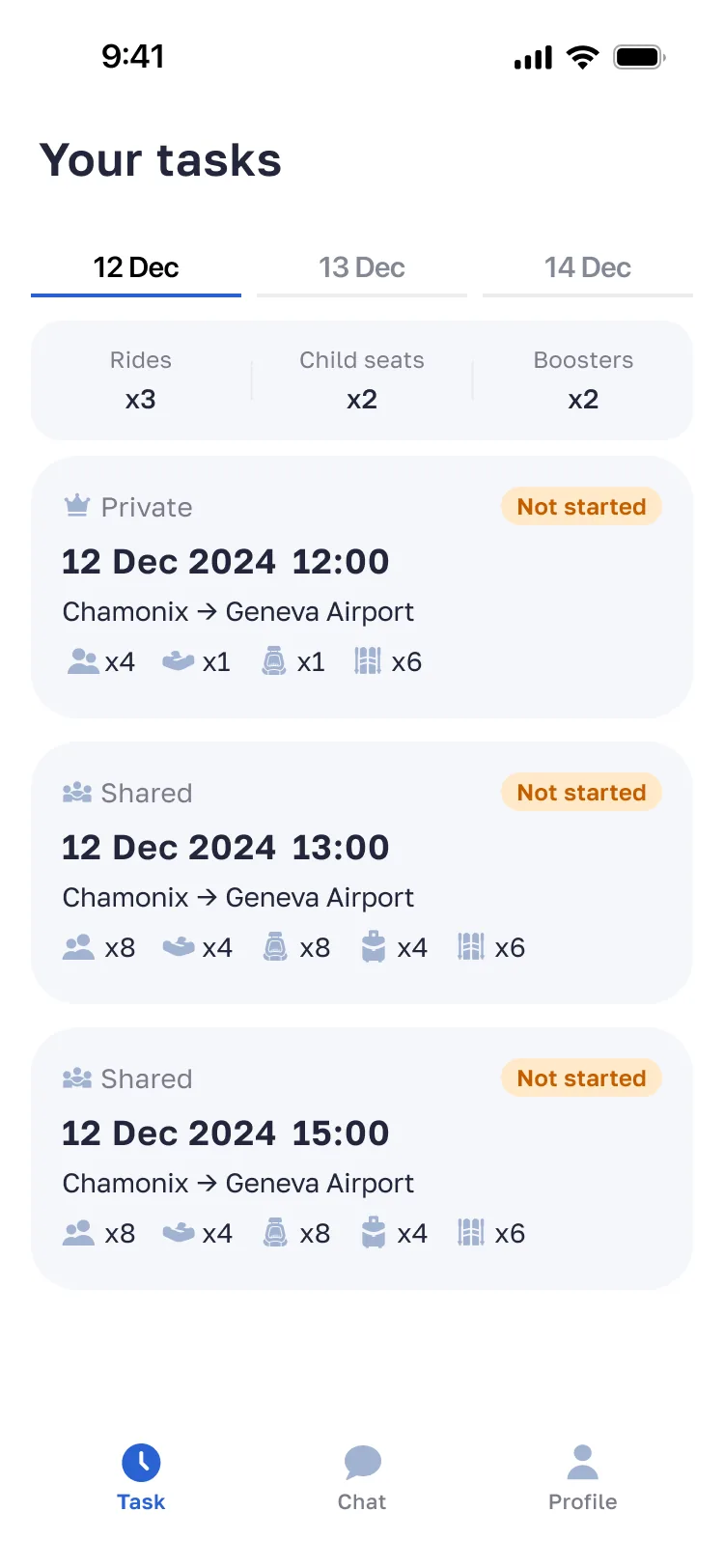
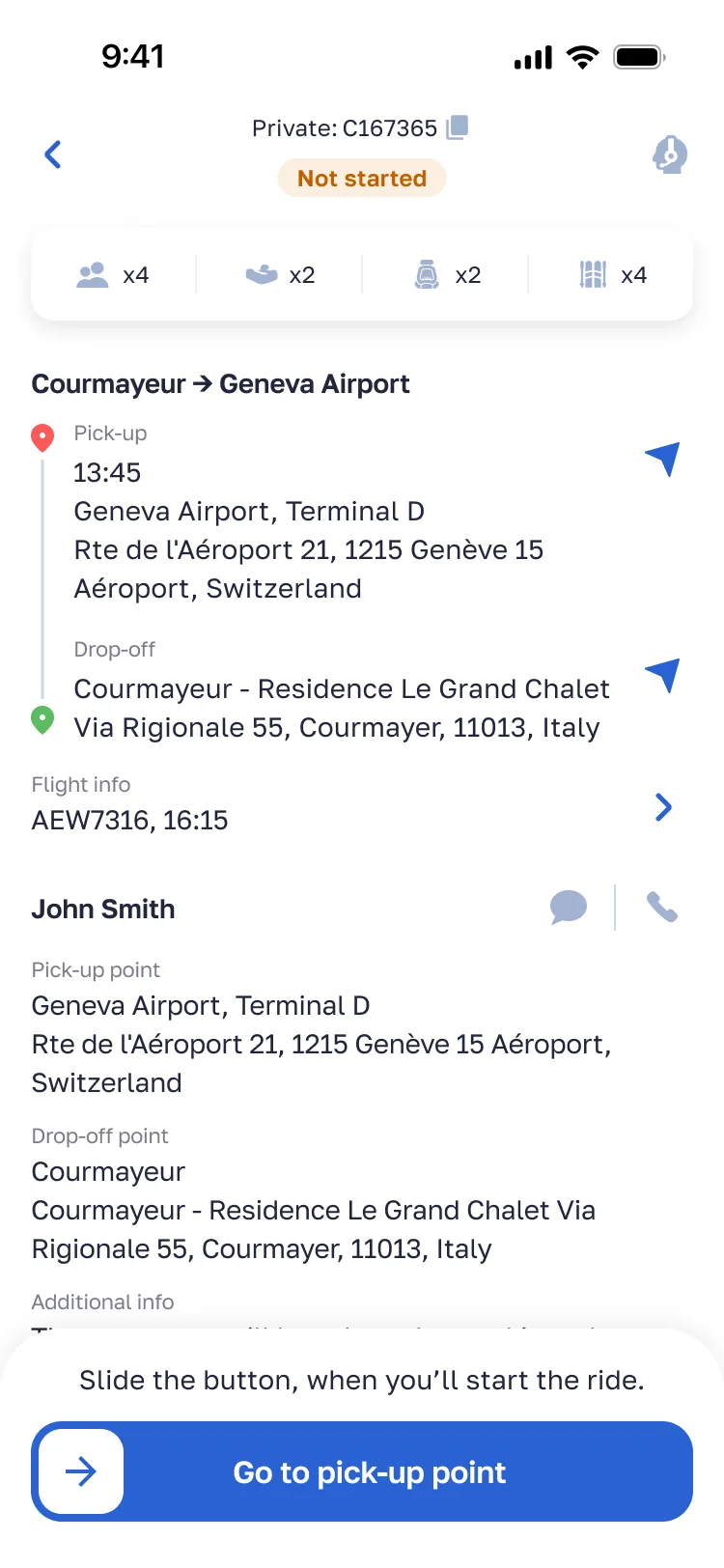
An in-app map took the top half of the trip screen. It lagged in the mountains, so drivers navigated with Google Maps or Waze anyway. Below it sat a details sheet that looked the same at every step: only the buttons changed. Drivers couldn’t copy a passenger’s phone number and had to dig for the pickup address.
Once drivers switched to their own navigator, they forgot about our app. Statuses came late or not at all. Passengers couldn’t see the car and wrote to support. The business didn’t know where its drivers were.
The drivers’ UX problem and the business problem turned out to be the same problem.
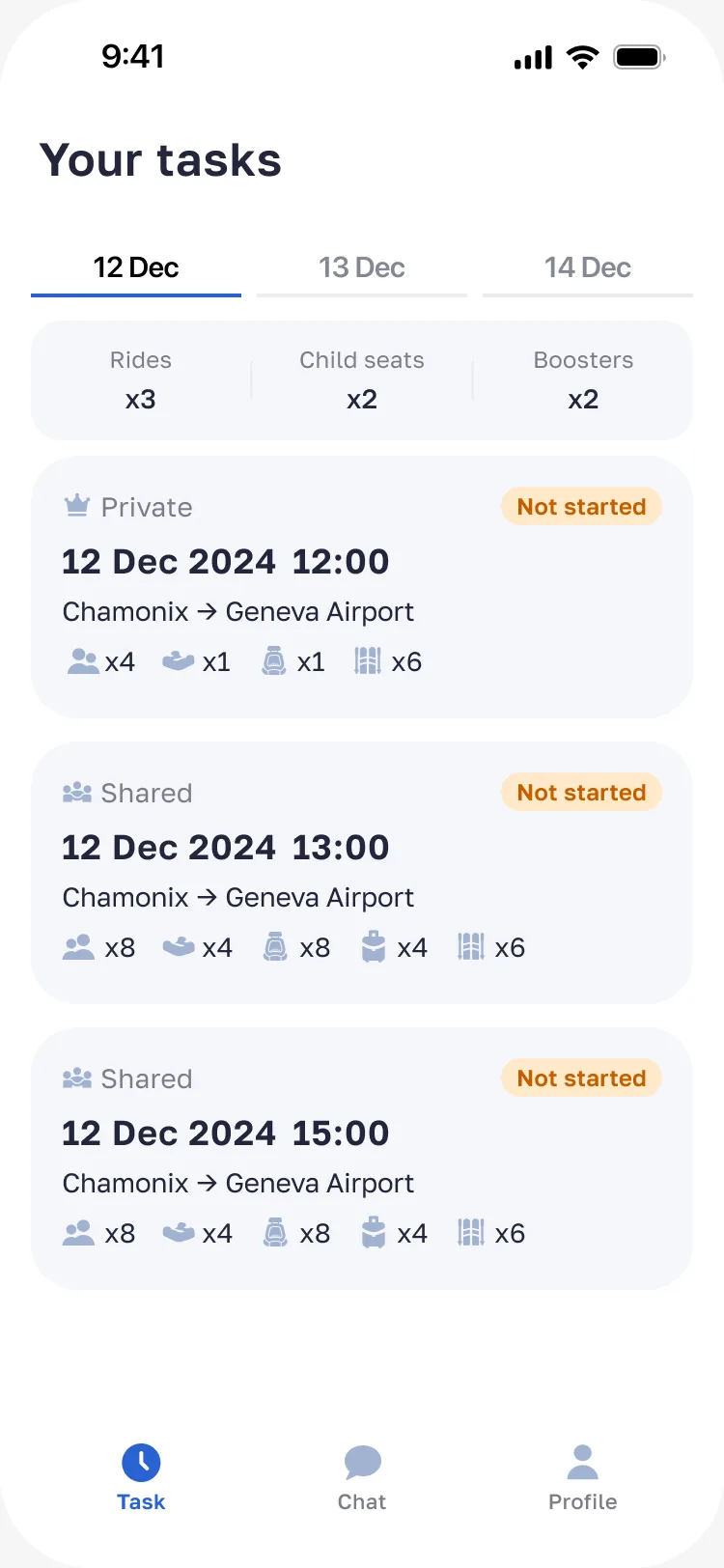
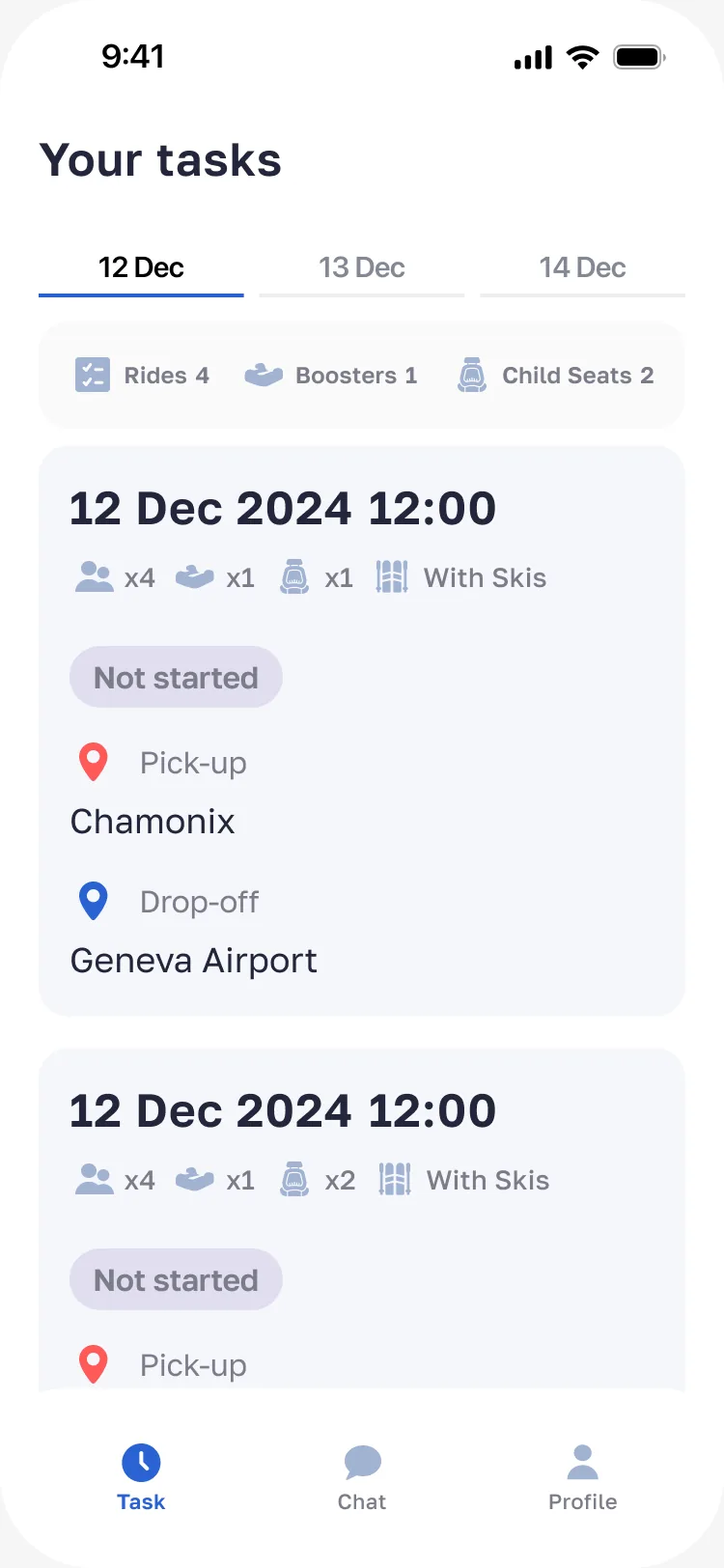
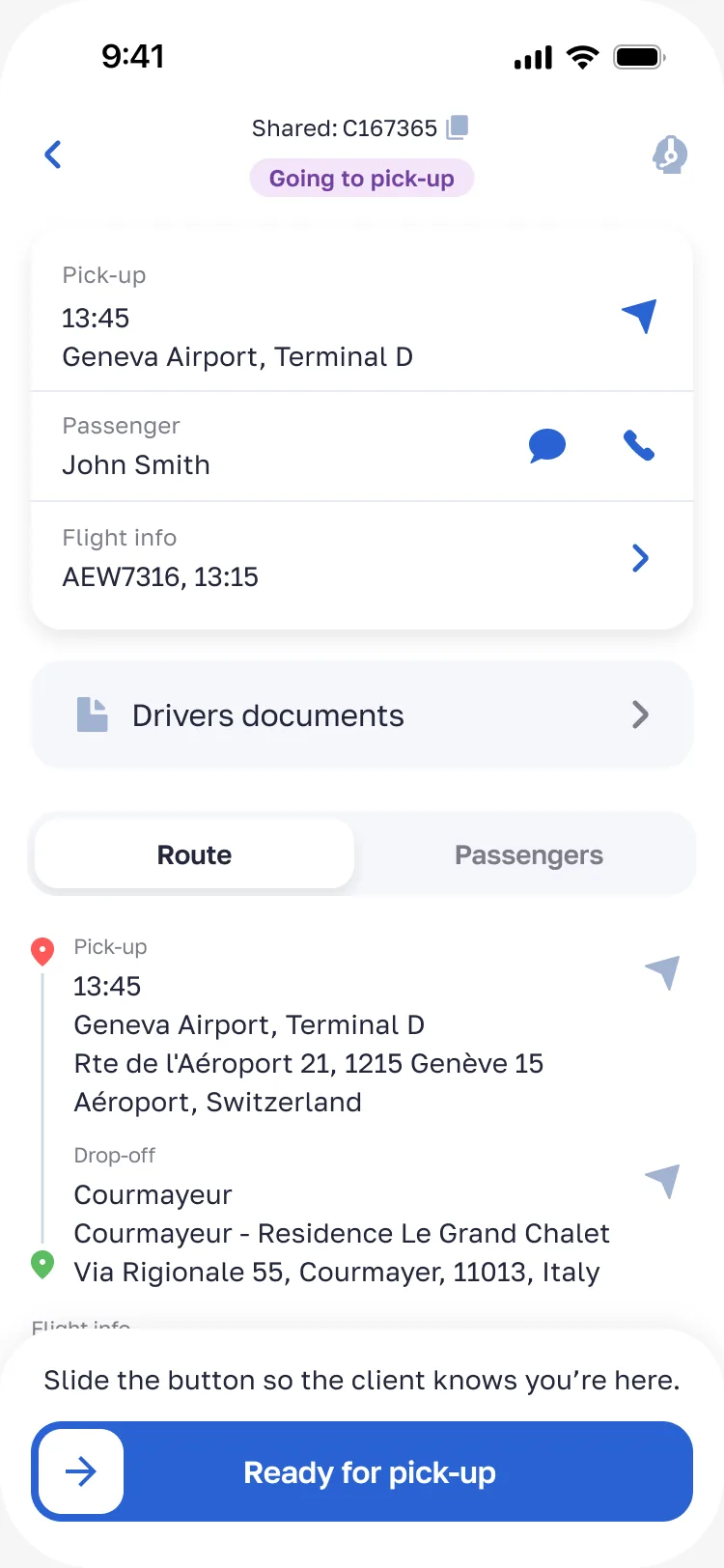
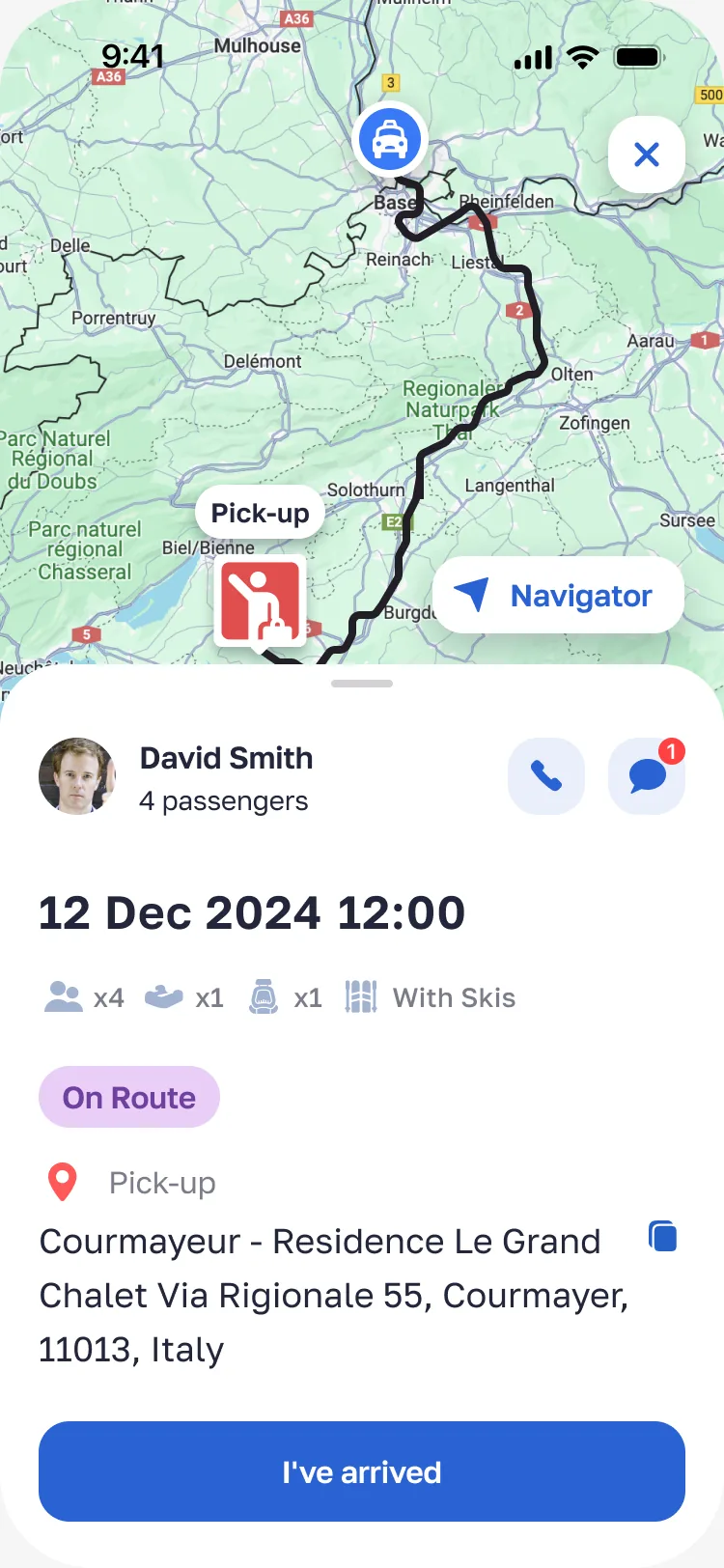
Task list – before and after
Research
Our UX researcher interviewed 10+ drivers, in-house and partners, talked to support and dispatchers, and rode along on trips.
Key insight: drivers saw the app as a control tool. And it is one, the business needs it to track drivers. So forcing drivers to set statuses wasn’t enough. The app had to help them, and setting the right status had to pay off for them too.
Conditions: phone in a dashboard mount, driving, mountains, winter.
Solution
A screen built around the status
For each step I defined what the driver needs right now.
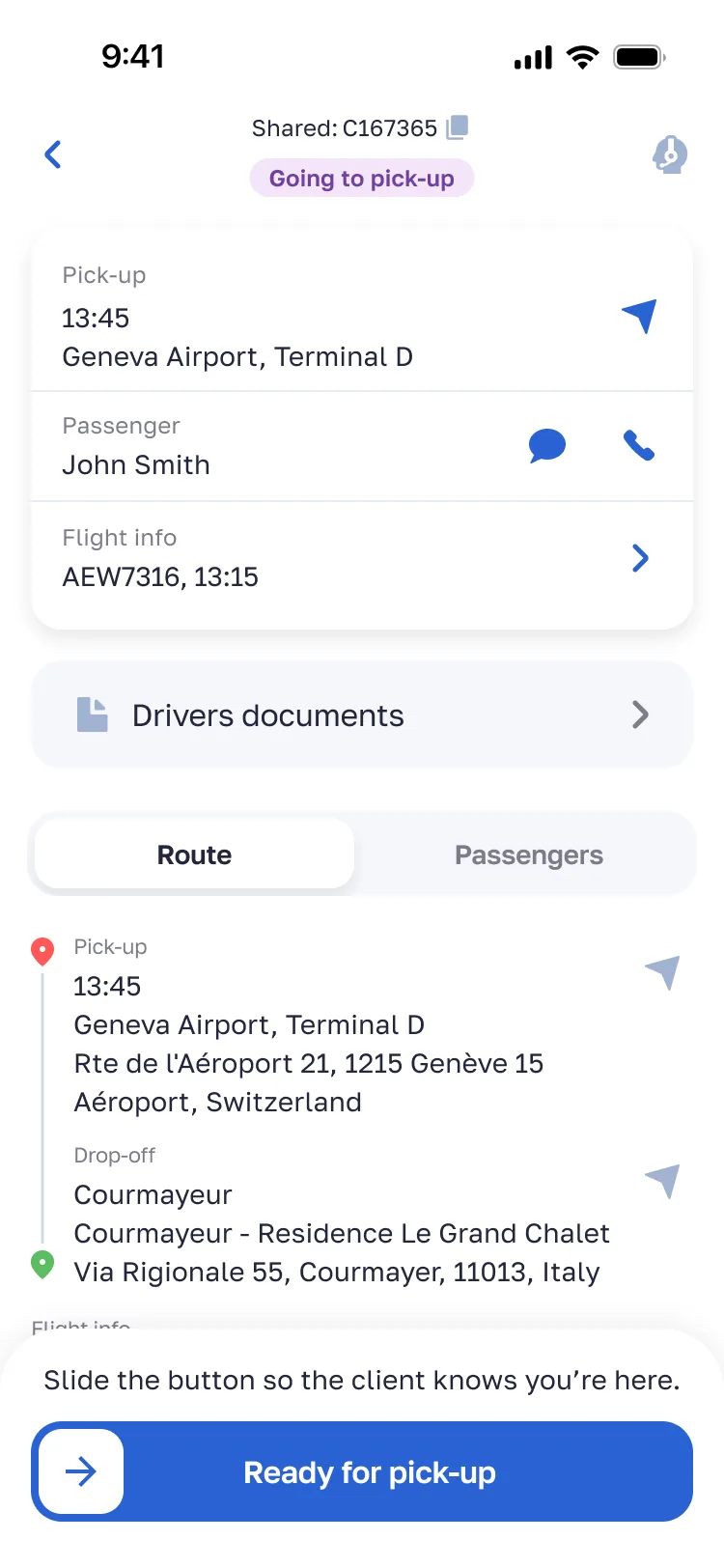
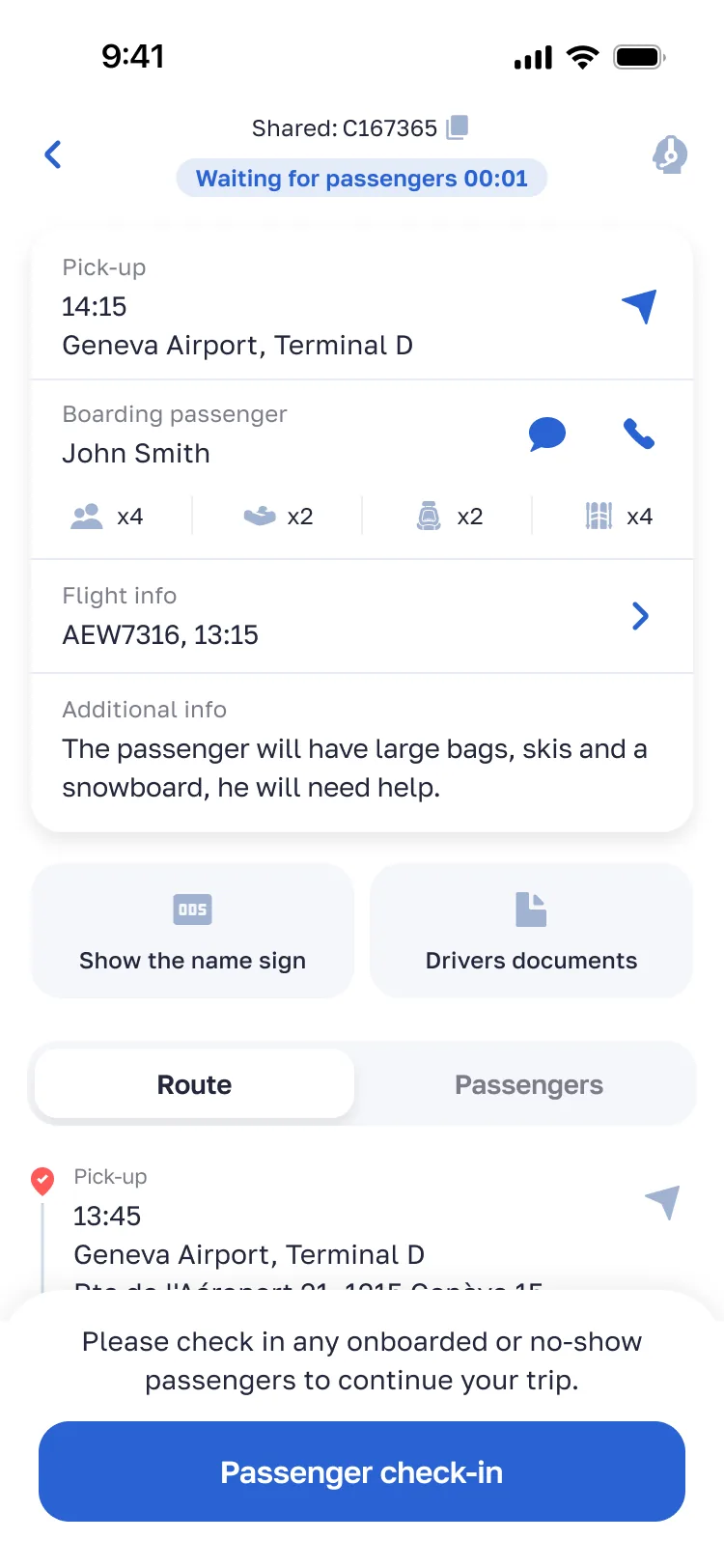
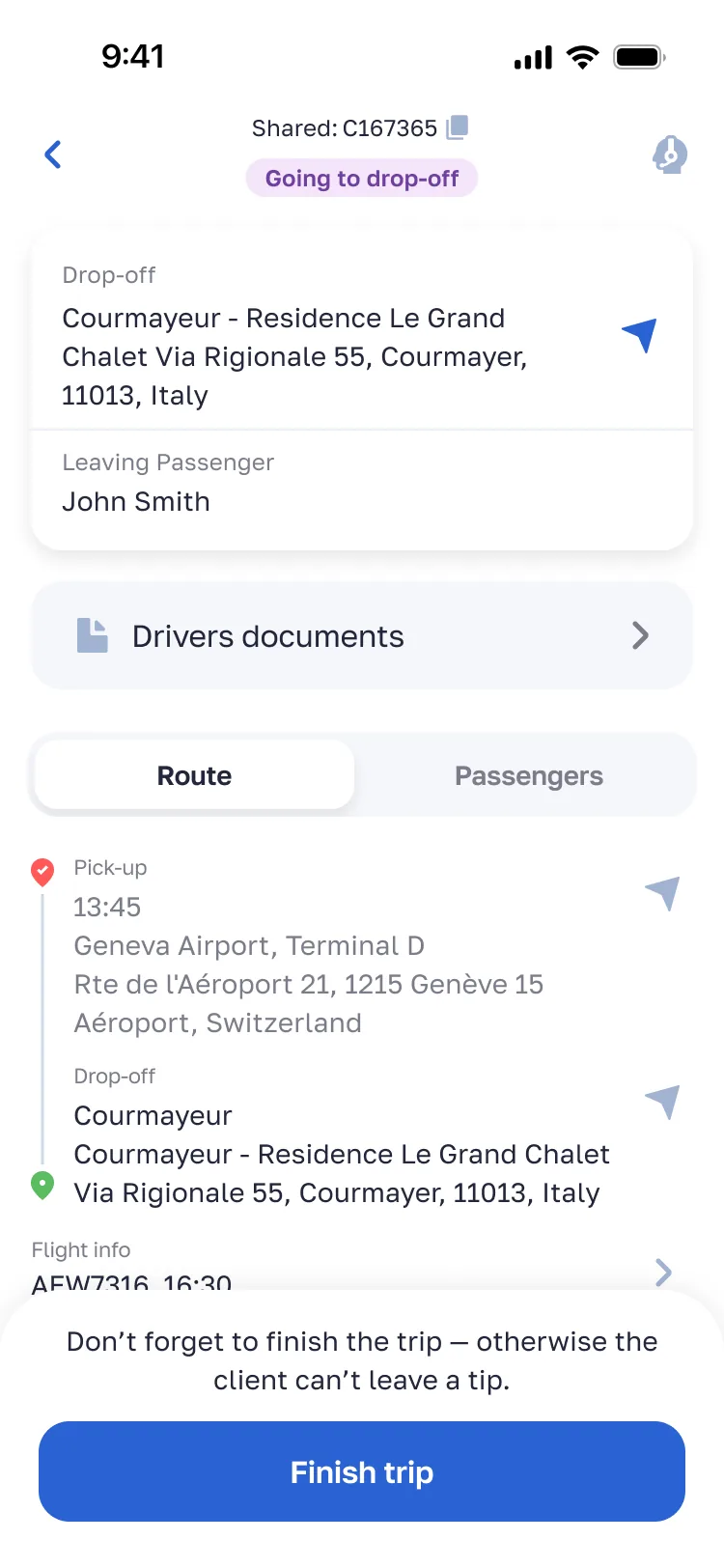
- A widget at the top changes with the step. On the way to pickup: next stop and time. At pickup: who’s boarding, contacts, flight, wait timer. On the way to drop-off: where and whom.
- Everything else sits below. The route is a timeline with completed stops checked and the current one highlighted. Passengers have their own tab.
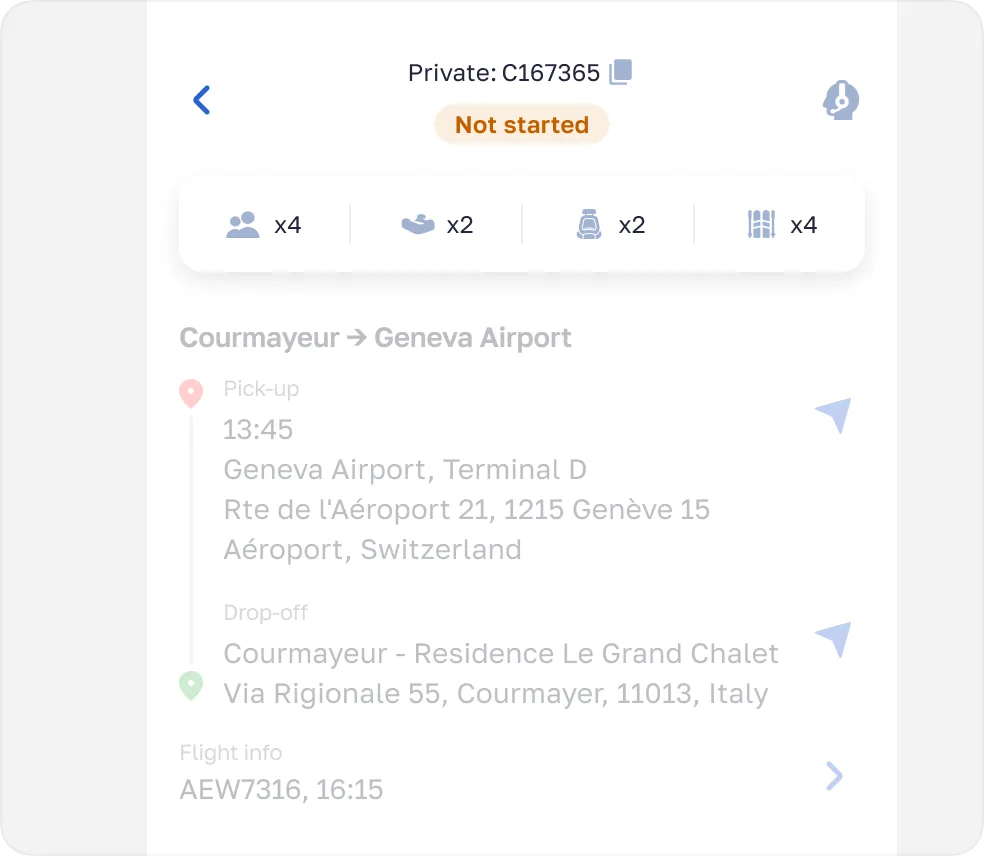
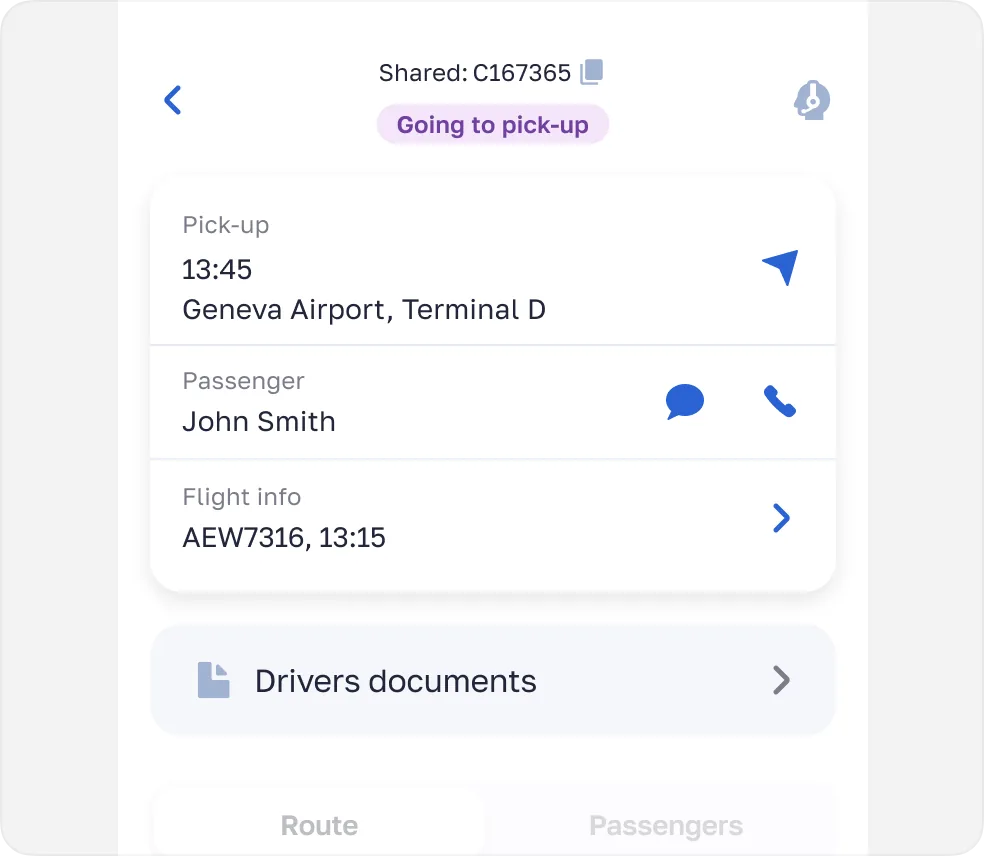
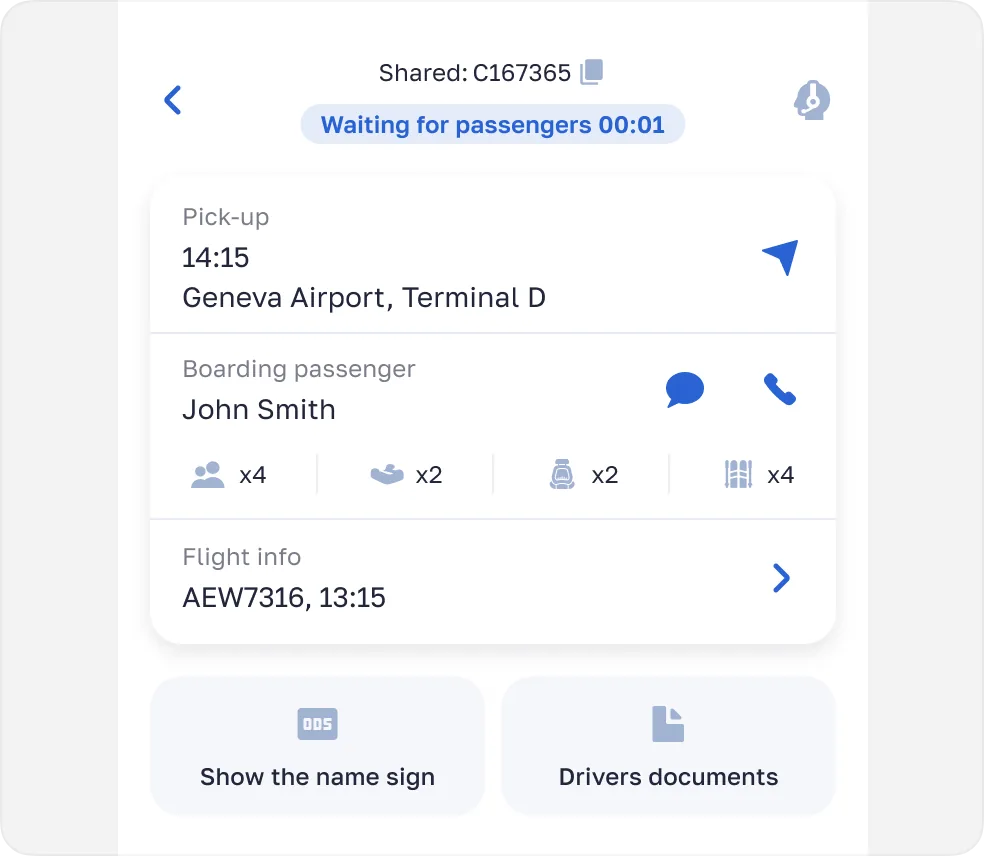
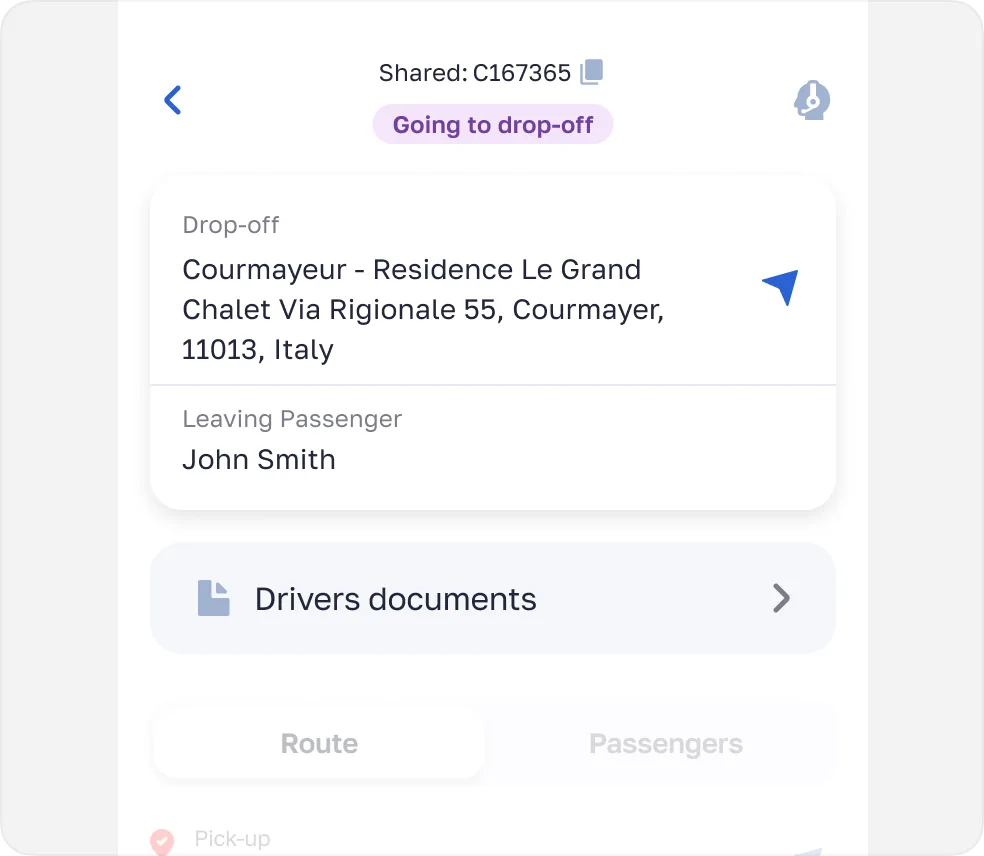
Removing the map
The app already let drivers pick an external navigator, but the map still took half the screen and lagged. I removed it and gave the space to trip information. Every stop has a navigator button and a copy-address action. Drivers open the app when parked, so nothing competes for their attention while driving.
Statuses that can’t be set by accident or too early
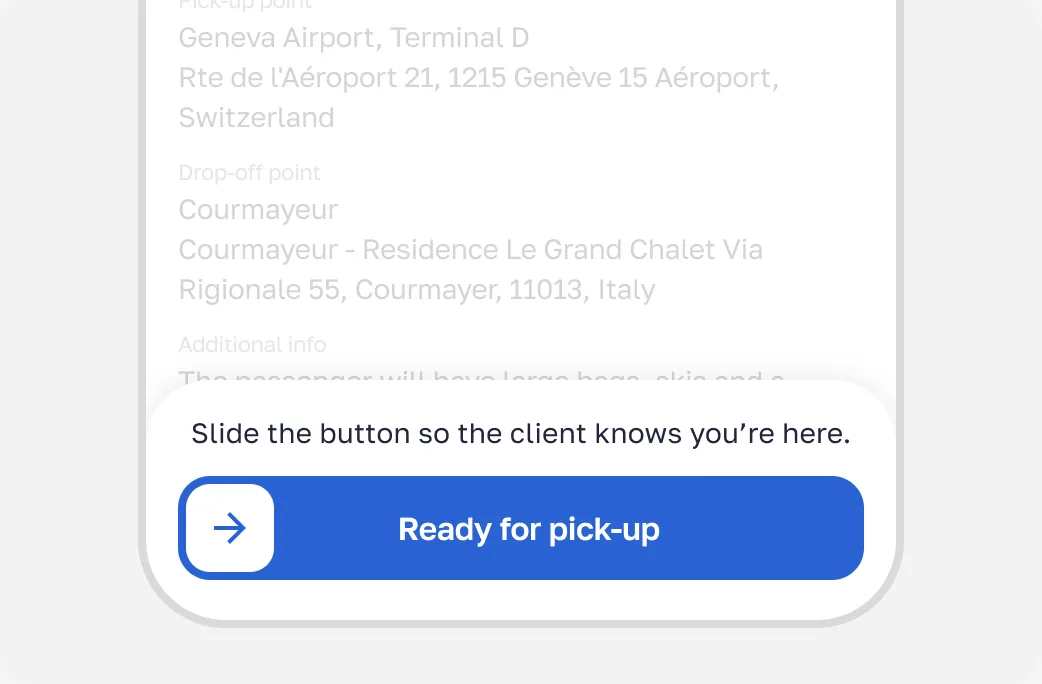
- Key actions use a swipe, so a stray tap in the mount doesn’t trigger them.
- “Ready for pick-up” unlocks only at the pickup point. If the driver is far away, the app says so.
- Background GPS tracking keeps the car visible to dispatchers. A trip can’t start without GPS, and dedicated prompts ask drivers to allow background location access.
A status worth setting
A reminder under the finish button says: complete the trip, or the passenger can’t leave a tip. After completion, the app promises to let the driver know when a tip comes in. The right status now matters to the driver, not only to the business.
One-tap passenger contact
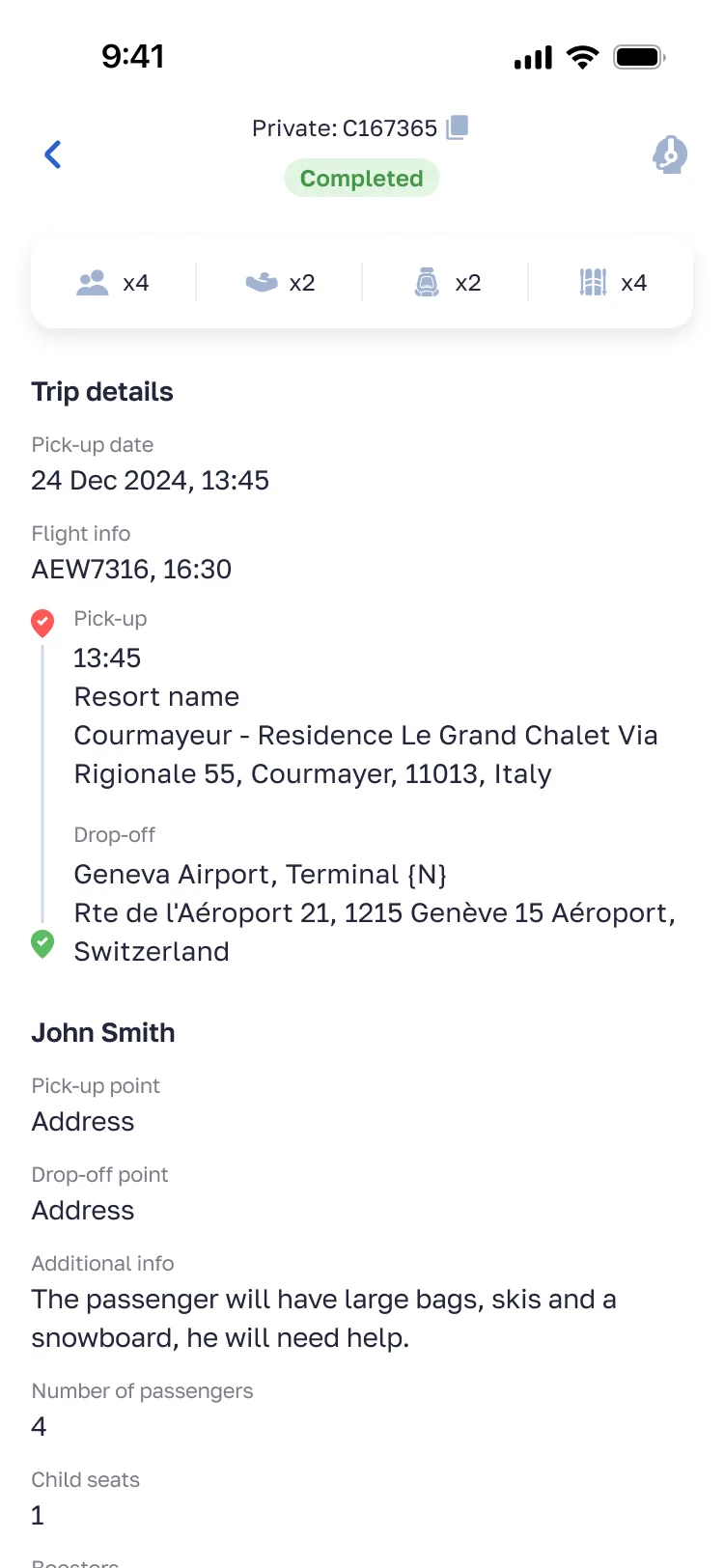
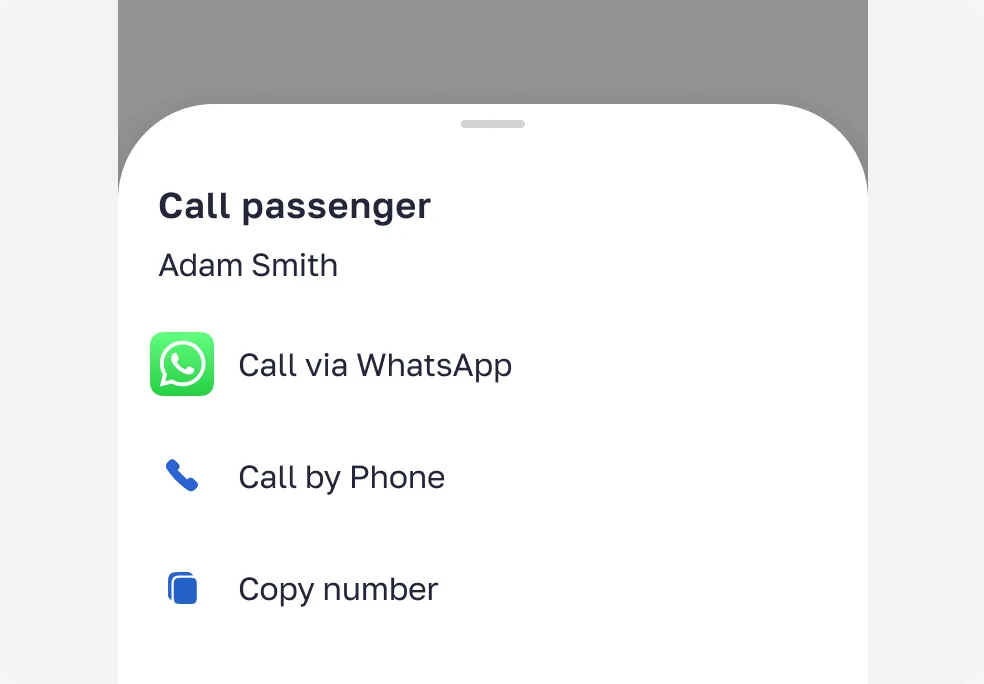
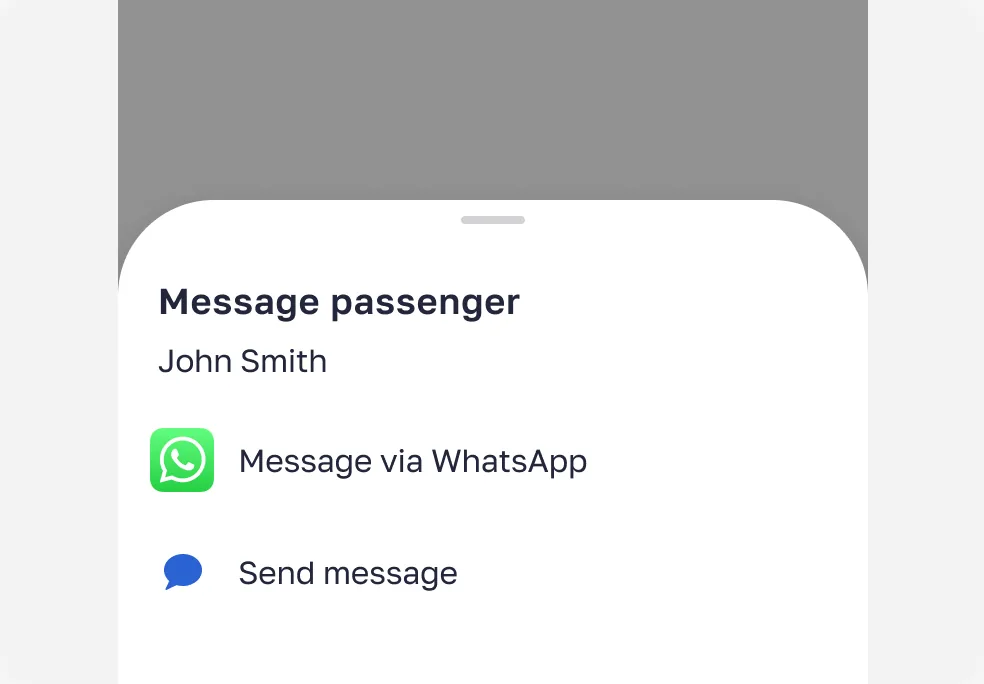
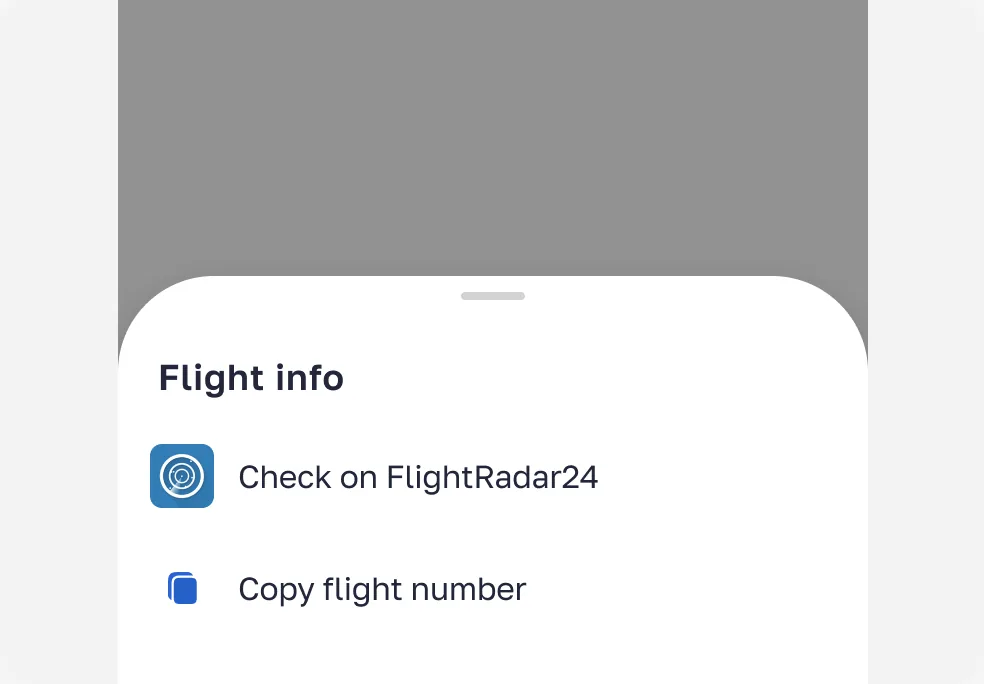
Call by phone or WhatsApp, message by SMS or WhatsApp, copy the number. The passenger’s flight opens in FlightRadar24.
Boarding and no-shows
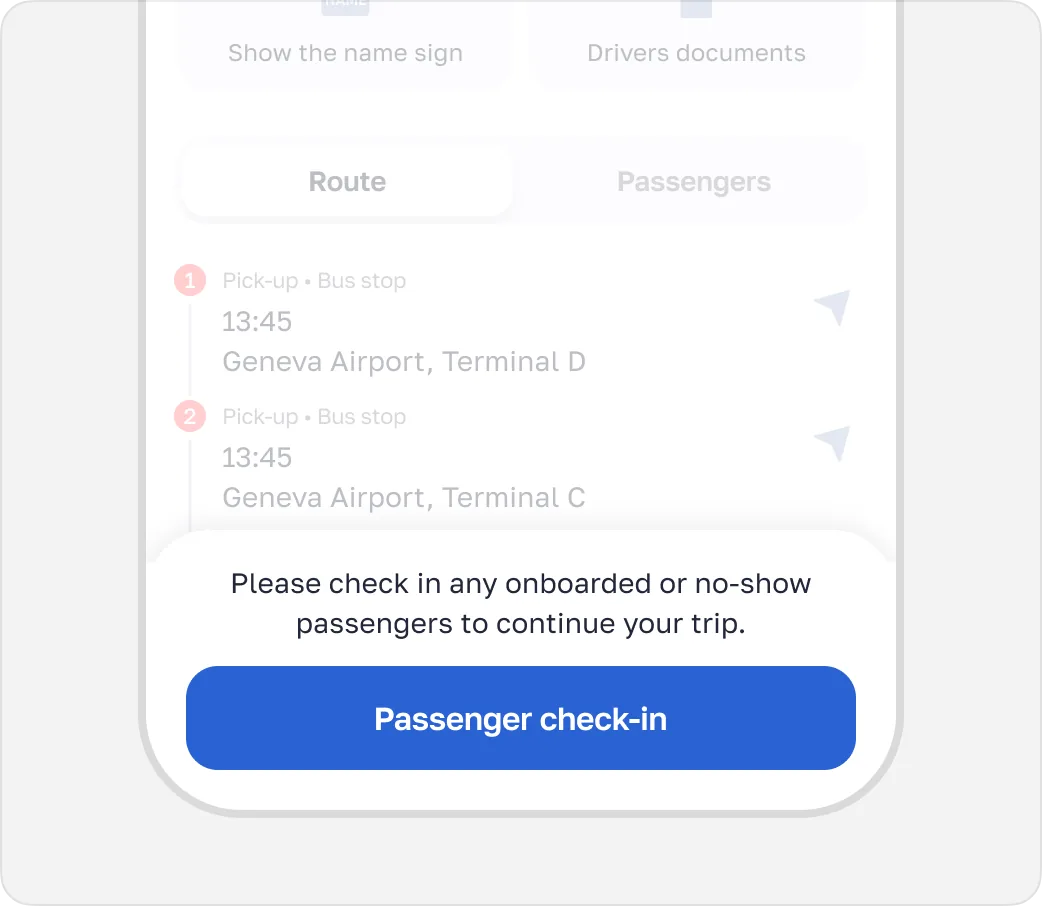
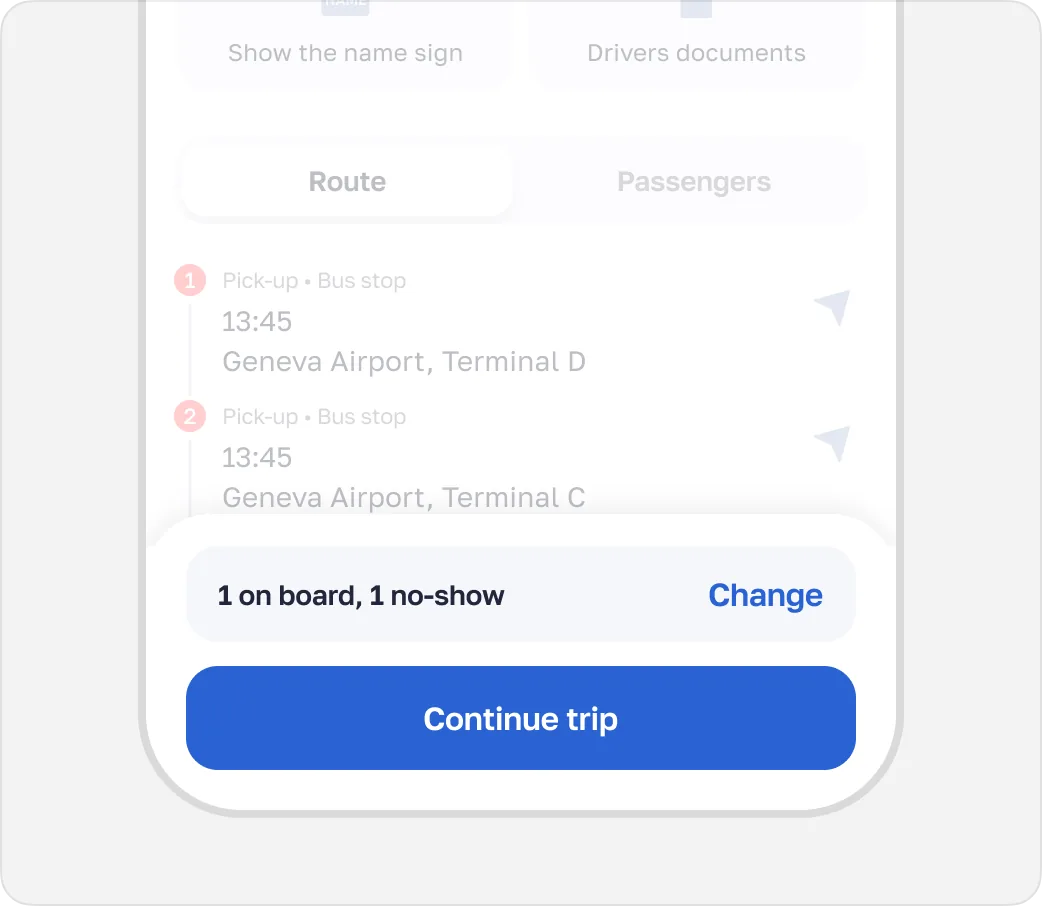
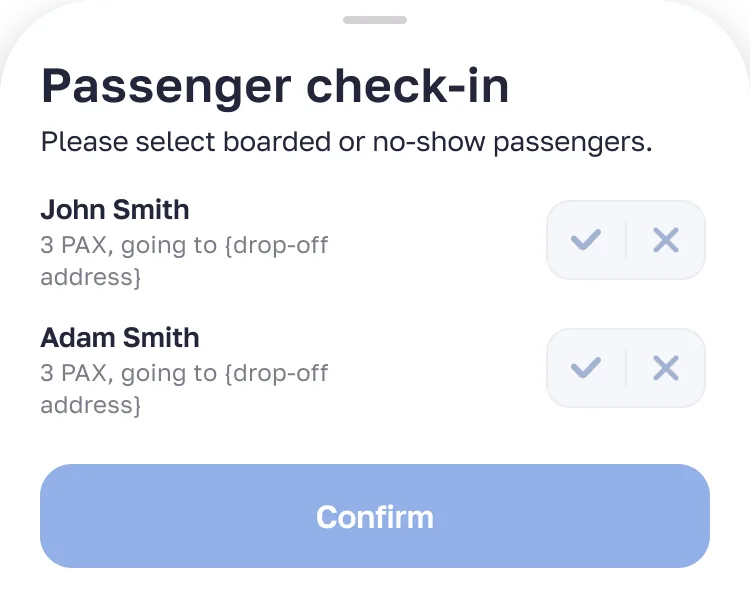
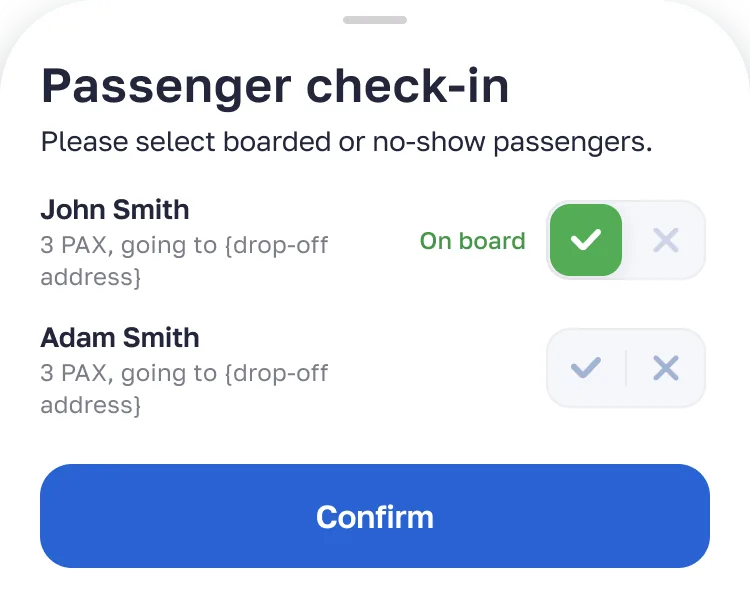
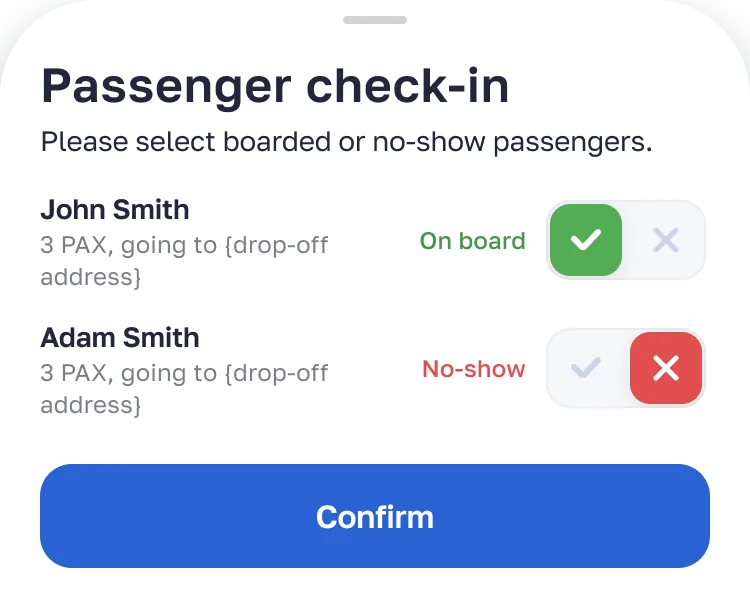
Check-in is one sheet: each passenger is either on board or a no-show. Passengers see the on-board status too. By service rules, drivers wait up to 15 minutes. On a no-show, the driver stays put while the dispatcher reaches the passenger, and can leave only once the dispatcher approves.
Complex trips: Shared and Split
- Shared: several passenger groups with different stops. Stops are labeled A, B, C, the widget shows the current group, and the driver can change the next stop.
- Split: one order across several cars. The card explains why, and the trip shows the other drivers’ contacts.
Rollout
We piloted with in-house drivers first, then rolled out to everyone. Drivers grumbled at first. Once they saw we’d built what they asked for, they started using the app more.